

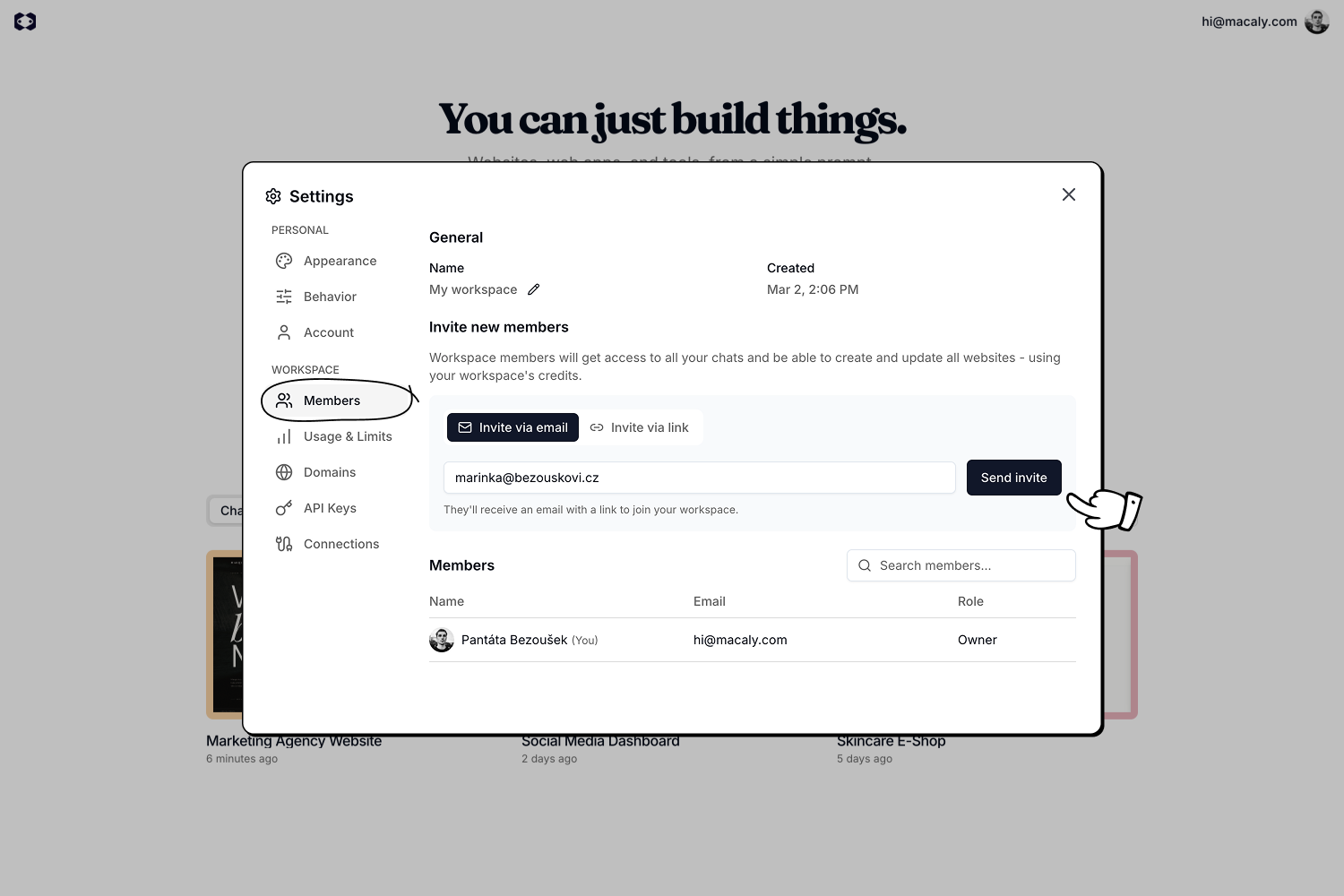
Inviting members
You can invite people to your workspace in two ways:- Invite via email: Enter an email address and send an invite. The recipient receives an email with a link to join your workspace.
- Invite via link: Generate a shareable link that anyone can use to join your workspace.
Roles
A workspace has two roles. Each workspace has exactly one Owner. Owner has full control over the workspace:- Manages billing and subscriptions.
- Invites and removes members.
- Accesses all chats and projects.
- Renames or deletes the workspace.
- Accesses all chats and projects.
- Creates and edits projects.
- Uses the workspace’s credits.
- Cannot manage billing or workspace settings.