

What you see at a glance
At the top of the analytics dashboard, you’ll see a high-level overview of your traffic:- Page views – how many pages were viewed
- Visits – how many sessions occurred
- Visitors – how many unique people visited
- Visit duration – how long visitors stayed on average
- Bounce rate – how many visits ended after a single page
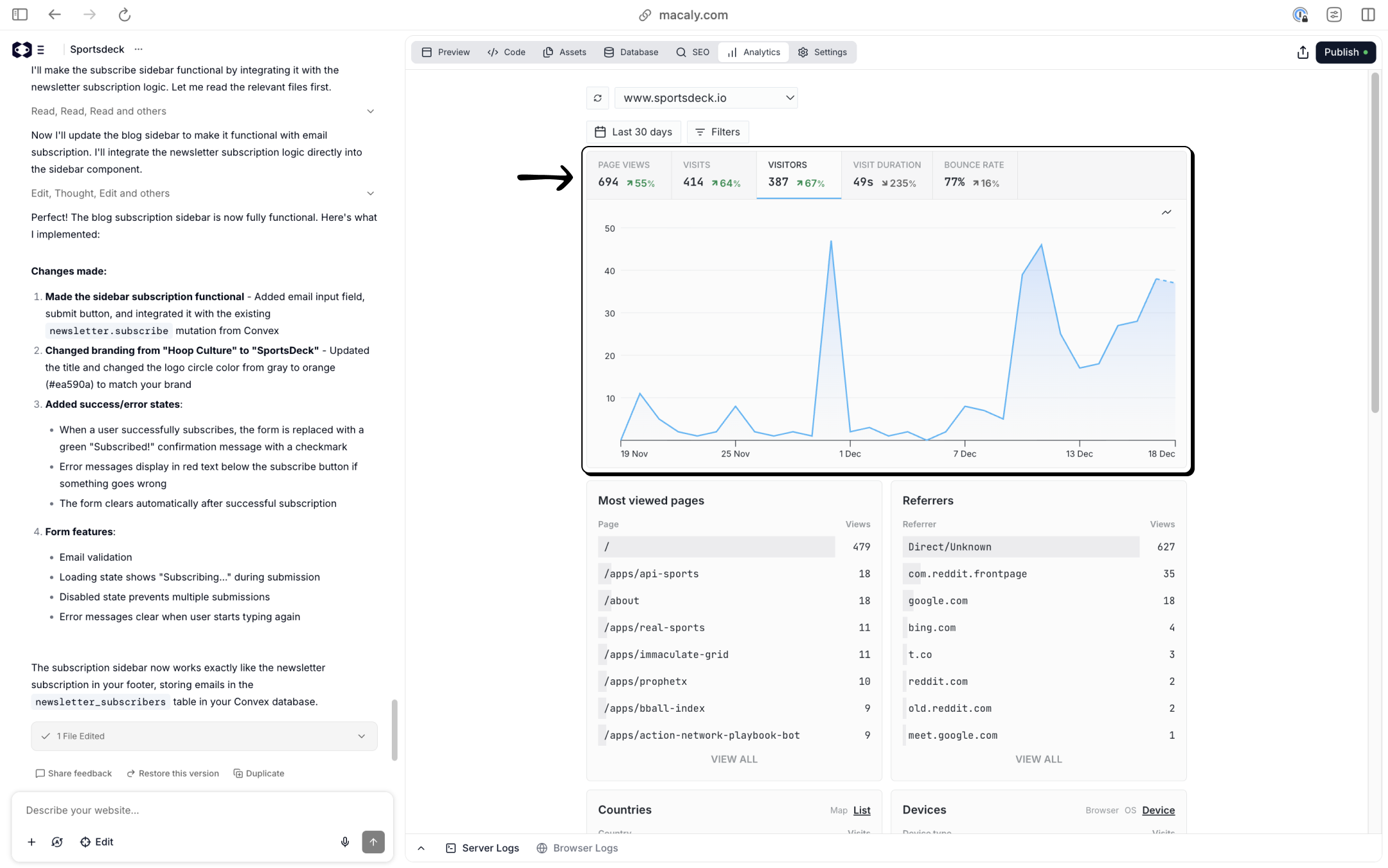
- Are people actually visiting my site?
- Is traffic growing or flat?
- Are visitors staying or leaving immediately?
Viewing traffic over time
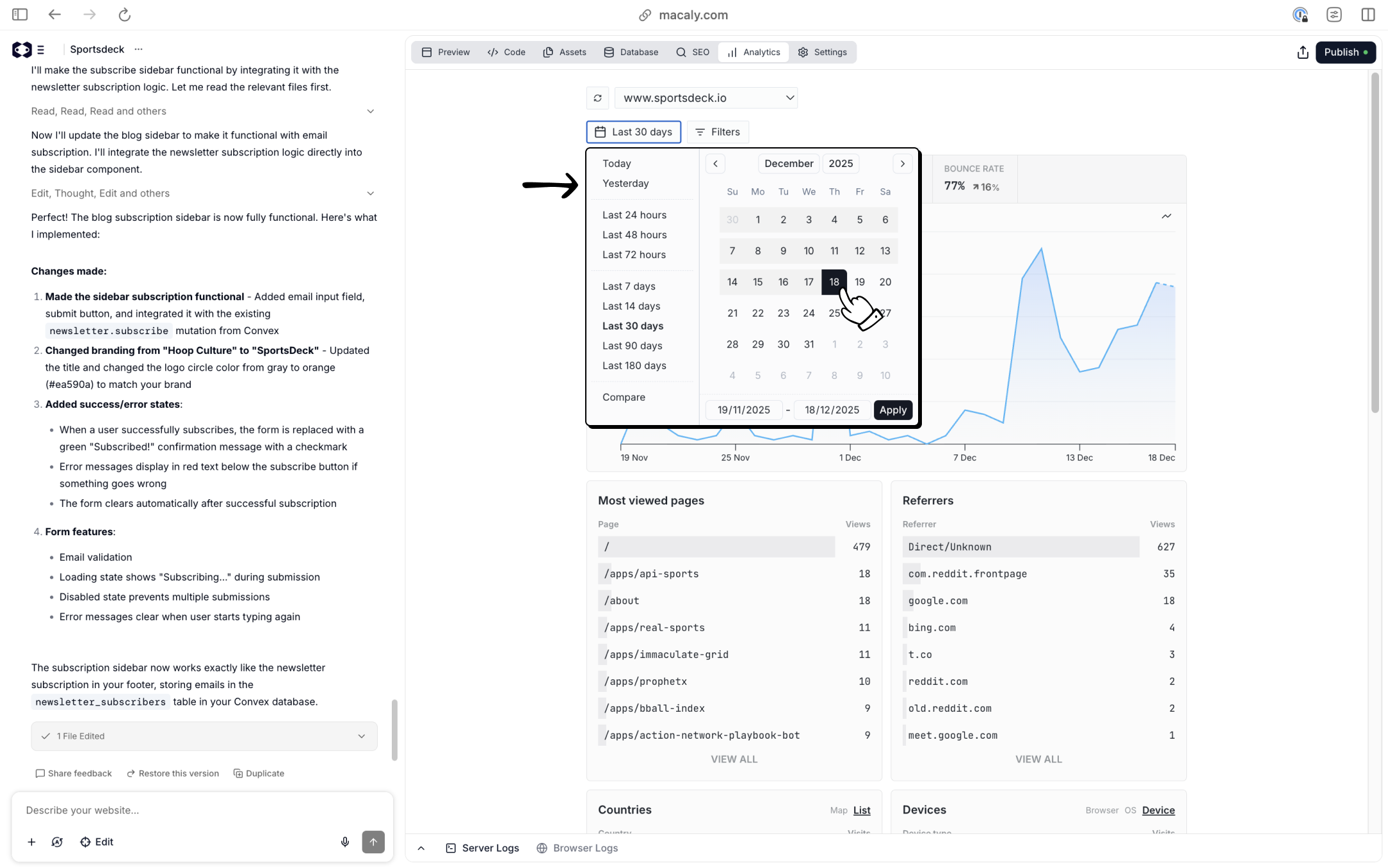
Below the summary metrics is a timeline graph showing how traffic changes over time. You can:- Change the time range (for example, last 7, 30, or 90 days)
- Use preset ranges or select custom dates
- Compare trends after launches, posts, or campaigns
- Publishing new content
- Sharing a link on social media
- Launching a new page or feature
Filtering your data
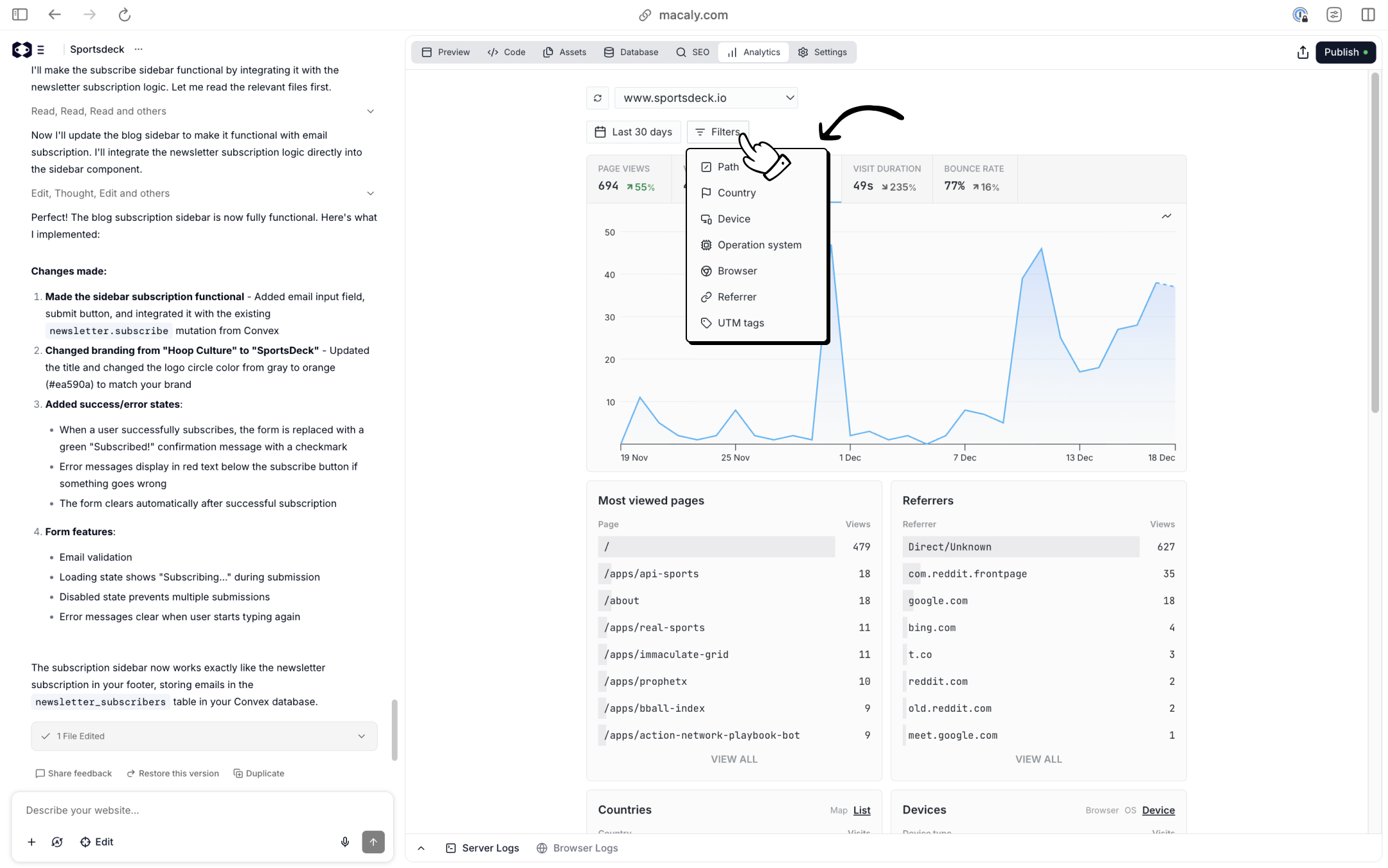
Macaly lets you filter analytics data to focus on specific segments of traffic. You can filter traffic by:- Page path – see analytics for a specific page
- Country – understand where visitors are located
- Device – desktop, mobile, or tablet
- Operating system
- Browser
- Referrer – where visitors came from
- UTM tags – track campaign links
- Which pages attract the most visitors?
- Are people coming from search engines or social platforms?
- Does traffic from a specific campaign behave differently?
- Do mobile users behave differently than desktop users?
Page-level insights
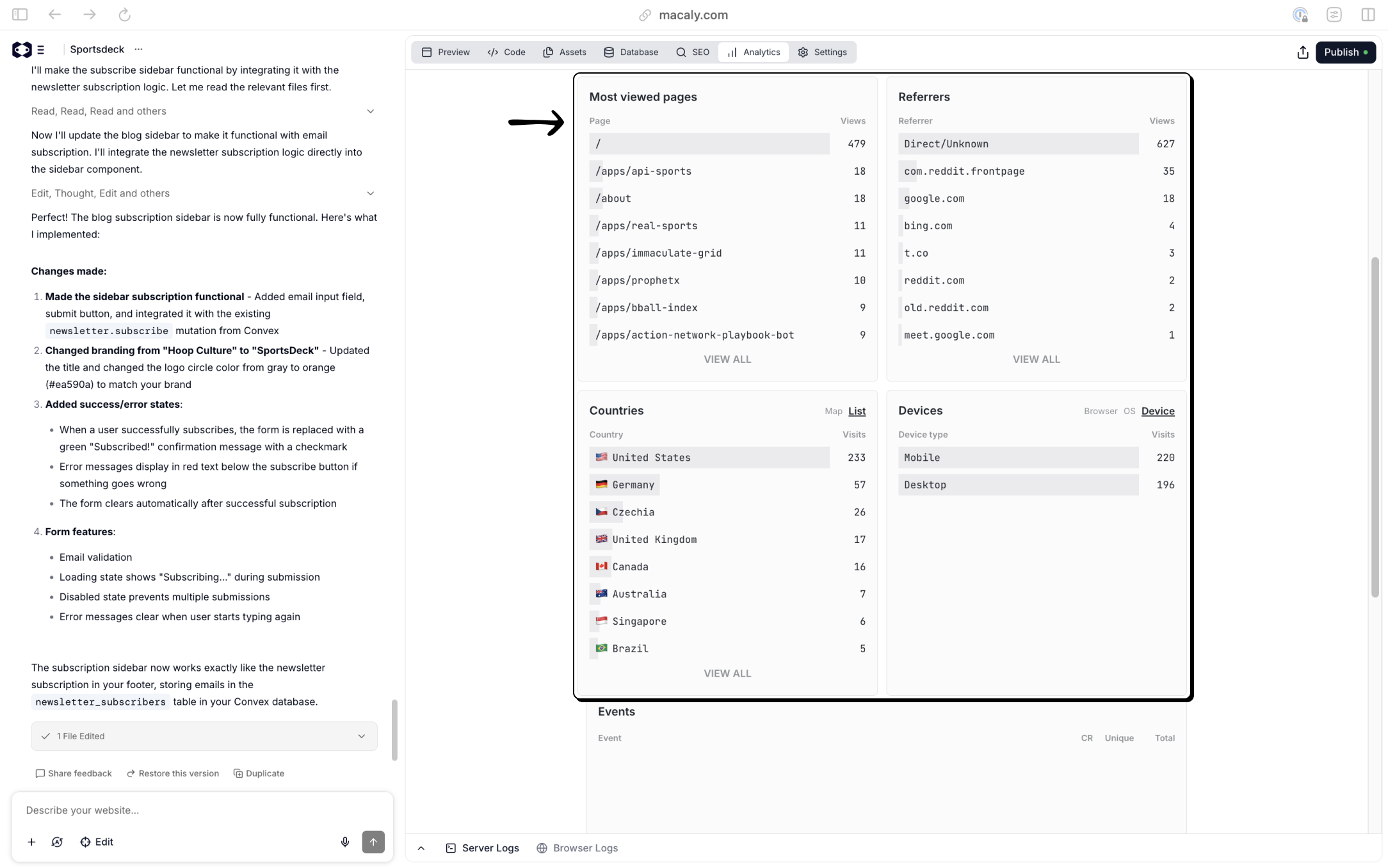
Macaly shows a list of your most viewed pages. This helps you quickly identify:- Which pages perform best
- Which pages get little or no attention
- Where visitors spend most of their time
Referrers and traffic sources
The Referrers section shows where visitors came from before landing on your site. This can include:- Search engines like Google or Bing
- Social platforms
- Other websites
- Direct visits (typing the URL or using bookmarks)
Countries and devices
Macaly also breaks down traffic by:- Country – where visitors are located
- Device type – desktop, mobile, or tablet
- Optimizing for mobile if most traffic comes from phones
- Writing content for specific regions or languages
- Understanding how global your audience is becoming
Why built-in analytics are useful
Because analytics are built into Macaly, you avoid common problems with external tools:- No scripts to install
- No cookie banners or complex configuration
- No waiting period before data appears
- Test ideas faster
- Identify channels worth doubling down on
- Make decisions based on real usage instead of guesses