

Available on all plans
How databases work in Macaly
A database stores information so it’s still there after the page reloads, ready for you to come back to whenever you need it. Think of it as a spreadsheet that lives behind your project, where each row is one item, such as one subscriber, and each column is a piece of information, such as email or date. Macaly creates a database for every project automatically:- Ready to use: It updates in real time and scales on its own, with nothing to configure on your side.
- Isolated per project: Data from one project can never mix with data from another.
- Hosted in the EU: Your data is held by Convex in the EU (Ireland). You’ll find more in Security.
- Included in your plan: Every plan has a monthly allowance, and using the database within it costs no credits. You’ll find more in Plans and credits.
Your database in the chat
Your Tables are listed on the left of the Database tab, each with its current row count. Tables that belong to libraries your project uses, such as those behind authentication, are grouped below and stay collapsed until you open them. Click a table name to open it in the grid on the right.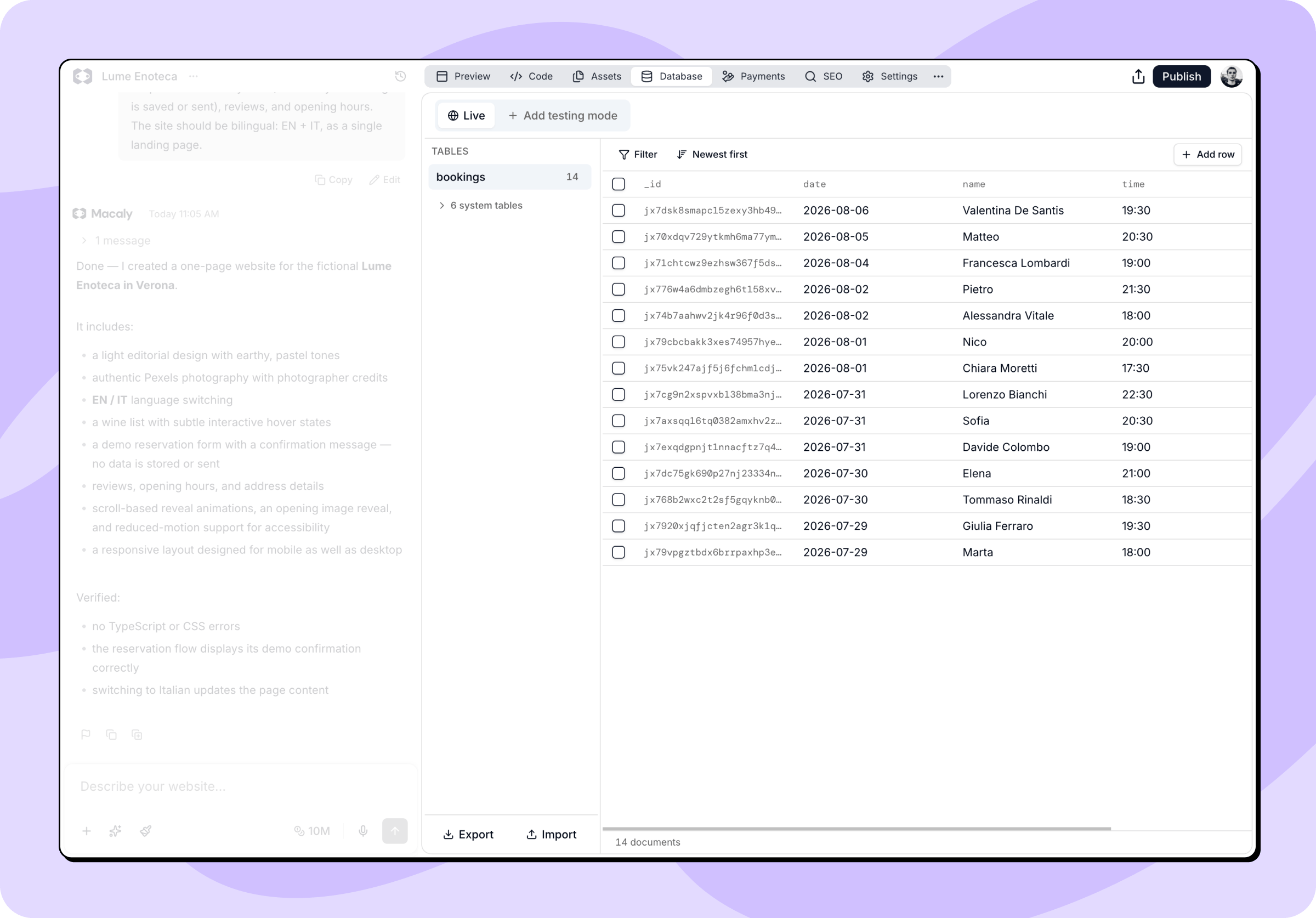
Browsing and filtering
- Pagination: Rows load 50 at a time and keep loading as you scroll. Load more at the bottom fetches more rows, next to a counter showing how many rows the table holds.
- Sorting: Newest first and Oldest first flip the order.
- Filtering: Filter lets you narrow the data down. Pick a field, an operator, and a value, then click Apply. Operators include equals, does not equal, greater than, less than, exists, does not exist, and matching by type. Add more conditions and they’re combined with “and”. Clear filters removes them again.
- Live updates: Rows your app creates while you’re looking at the table appear on their own.
Editing rows
You can change data directly in the grid, without going through the agent.- Click a text cell to edit it right there. Press Enter to save, or Escape to cancel. Checkboxes toggle with a single click.
- Click a row to open a form with one field per column. You can enter numbers, dates, lists, and references, see which fields are required, and copy the row as JSON if you want it on your clipboard. Click Save when you’re done.
- Add row creates a new row in the table you’re viewing, based on the fields Macaly already knows about.
- Tick one or more rows to get a Delete button. The checkbox in the header row selects the whole table. Macaly asks you to confirm. Deletions can’t be undone.
The Database tab is for data, not for structure. Creating, renaming, and deleting tables, and changing which fields a table has, live in your project’s code, so the agent handles them. Ask for it in chat, for example: “Add a phone field to the Leads table.”
Downloading and restoring
At the bottom of the Tables list you’ll find Export and Import.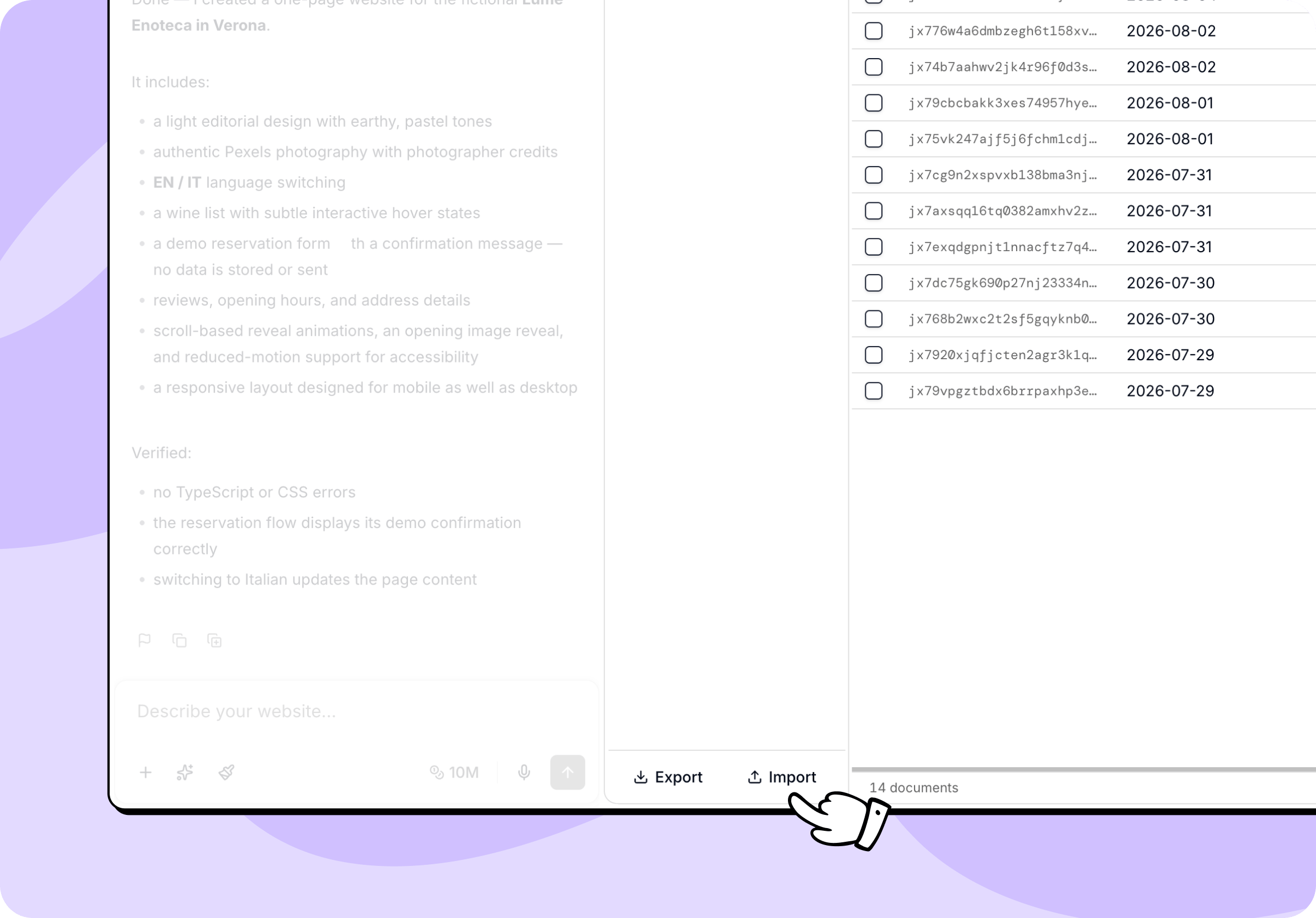
Files your project stores, such as uploaded images or documents, are not part of the snapshot. The snapshot covers table data only.
Live and Testing databases
By default your project uses a single Live database, shared by your published site and your chat preview. Any change you make while building shows up on the published site straight away. Adding a Testing database creates a separate copy for you to work in, without changing the data your users see.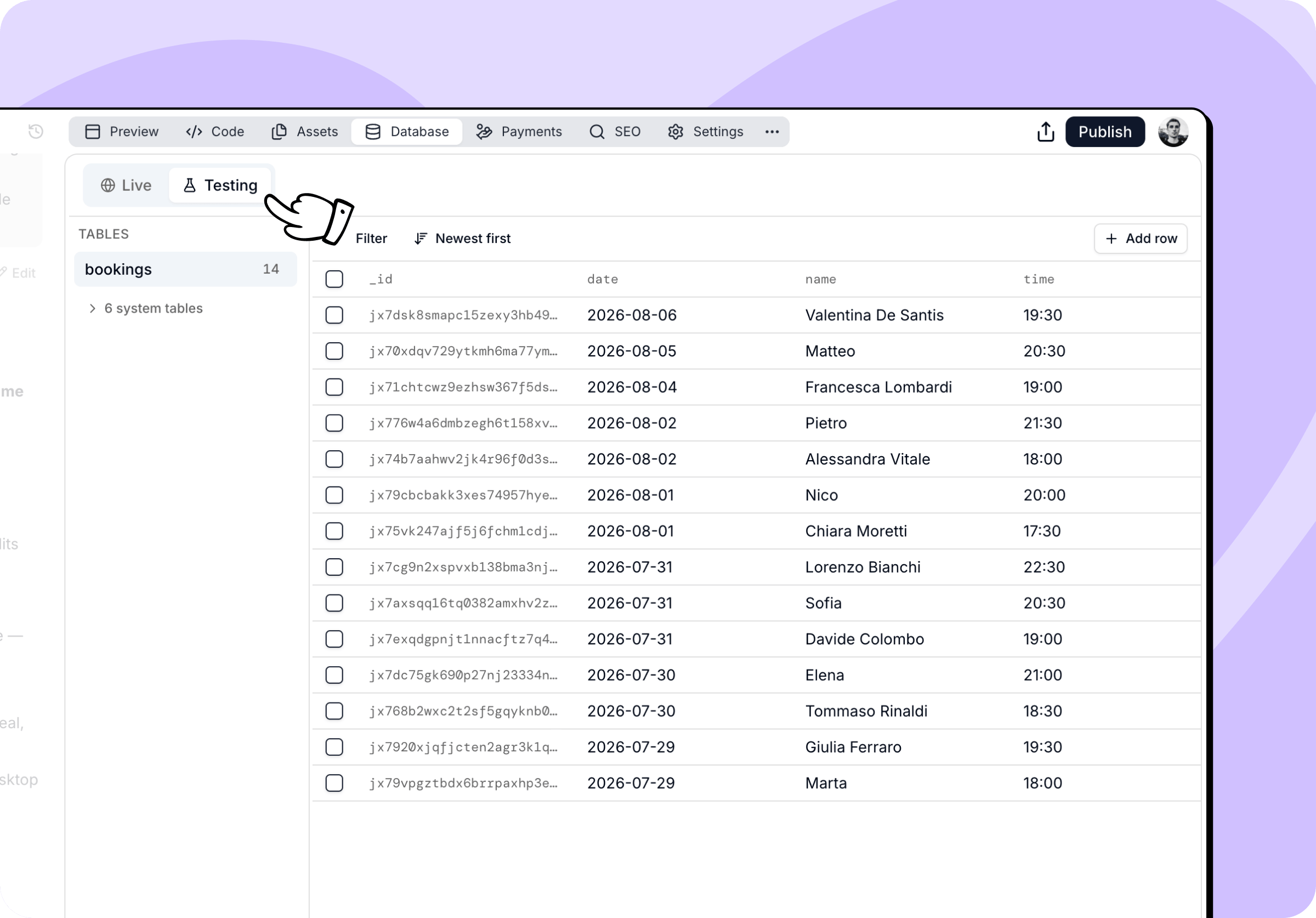
Adding a testing database
- Open the Database tab in your chat.
- Click Add testing mode.
- Wait for setup to finish.
If your app already stores files uploaded by its users (see App user uploads), the Testing database starts empty.
Letting the agent choose Testing
Once your project is published and has real data, the agent checks with you before it changes the backend. When a request touches the database or server functions, it asks: Your published app is using Live data. Where should I make these Convex changes?- Develop in Testing: The agent creates or selects your Testing database and makes the changes there. Your users keep working with Live data in the meantime.
- Continue on Live: The agent changes the published app and its data.
Switching between databases
Use the Live and Testing buttons at the top of the tab to switch between the two databases. Switching points your project at the selected database and rebuilds the preview, so chat and preview both read and edit the one you selected. Work you do in Testing still changes your project’s code. When you switch back to the Live database, Macaly redeploys the schema and functions, so structural changes you made while testing carry over to your published project. The data itself stays behind in the Testing database.Publishing from Testing
You can publish while the Testing database is active. When you click Publish, Macaly promotes your code to Live after a compatibility check, while your chat and preview stay on Testing. Testing data and secrets are never copied to Live. The compatibility check makes sure your changes still work with the data your published app already holds. If they don’t, the Publish dialog shows Database changes need attention and offers Resolve issue. Click it and the agent adjusts the changes so they work with your Live data, then you can publish again. Publishing also stops if the app’s code connects it directly to the Testing database. The Publish dialog shows App is connected to the Testing database. Click Fix with AI and the agent connects the app to the Live database, then you can publish again.Publishing from Testing is available for Git-backed projects only. In other projects the Publish dialog shows Testing Database Active, and you need to click Switch to Live before you can publish.
Duplicating your own project
When you duplicate your own chat, the copy gets a separate database. Macaly copies the current table data where supported; older projects with a legacy App Files setup may start with an empty database and no uploaded files. A duplicate does not restore data from an earlier point in time. A project duplicated from the community gallery always starts with an empty database.Example uses for a database
You’ll most often reach for a database for features like these:- Contact forms: Store the messages people send through your contact or inquiry form.
- Newsletters: Collect email addresses and keep track of when each person subscribed.
- Content management: Build a system that holds your blog posts, case studies, reviews, or comments.
- Bookings and requests: Store appointment requests and event registrations.
- Admin panels: Build an internal page for reviewing form submissions, managing subscribers, or moderating content.
- Notifications: Get an email when someone fills in a form or a new registration lands in your database.
Frequently asked questions
Do I need to set up a database at all?
Do I need to set up a database at all?
No. Every Macaly project gets one automatically. You don’t need to set one up with a provider, enter credentials, or connect anything. Describe what you want to store, such as contact form submissions or blog posts, and the agent creates the tables and wires them into your project.
What database does Macaly use?
What database does Macaly use?
Macaly uses Convex. Every project has its own isolated database with real-time updates and automatic scaling, hosted in the EU. See Databases.
Does the database cost extra?
Does the database cost extra?
The database is included in every plan, and staying within your monthly usage allowance costs no credits. On the Starter, Pro, and Agency plans, usage above the allowance is charged in credits. On Starter, Pro, and Agency, each additional started 1GiB costs 200K credits. On Starter, Pro, and Agency, each additional 100,000 backend API calls costs 200K credits. The allowance is counted across your whole workspace and resets at the start of each calendar month. If you upgrade from the Free or Hosting plan mid-month, the paid allowance starts at the upgrade and earlier usage is never charged. You’ll find the details in Plans and credits.
How do I view and edit my data?
How do I view and edit my data?
The Database tab lists your tables and shows the rows in each one. You can filter and sort them, edit values right there, add rows, or delete them. Creating tables and changing which fields they have happens in your project’s code, so ask the agent for those, for example: “Add a phone field to the Leads table.”
Can I work on test data instead of my live data?
Can I work on test data instead of my live data?
Yes. In the Database tab, click Add testing mode and Macaly creates a Testing database, a separate copy of your data that you can work in without changing what your users see. You can switch between your Live and Testing databases whenever you want, and publish from either one. Publishing from Testing runs a compatibility check first so your published app keeps working with its existing data.
How do I download a copy of my data?
How do I download a copy of my data?
Export in the Database tab downloads a ZIP snapshot of your table data, and Import restores one. Files your project stores, such as uploaded images, are not part of that file. Keep a snapshot before bigger changes, since deleting rows and importing a snapshot both replace data permanently.