

Available on all plans
How the security check works in Macaly
The check follows the paths that visitor input, sign-in, and private data travel along in your project, and looks for the places where those paths aren’t protected. The security check in Macaly:- Checks your code, not your live site: It works on the project in your chat, so you don’t need a published site or a database for it to run.
- Doesn’t read your secret keys: It never opens your environment files, API keys, or credentials. The problems it finds point at variable names and file locations rather than at the values themselves.
- Runs in the background: A check takes up to 20 to 30 minutes. You can close the tab and come back to the results later.
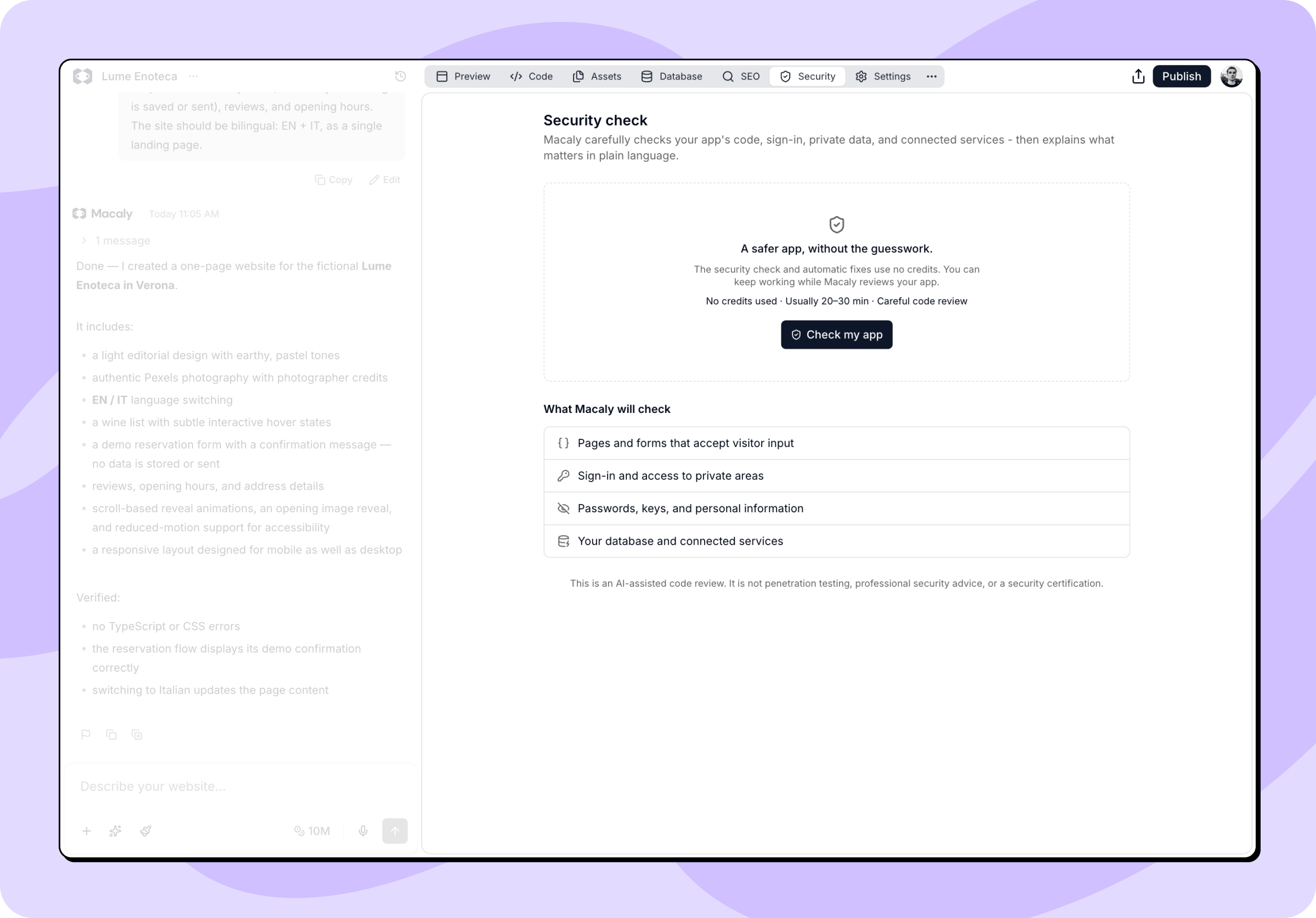
What Macaly checks
Every check covers the same eight areas:- Who can access what: Whether each person reaches only the pages and records they should, including when someone guesses a URL or edits an ID.
- Sign-in and accounts: How sign-in, sessions, one-time codes, and password resets hold up.
- Forms and visitor input: What happens to the text, files, and links that visitors submit.
- Private information: Where passwords, keys, and personal data are stored and logged, and whether any of it reaches the browser.
- Database and server: Whether your database rules, API routes, and server functions check who’s calling before they answer.
- App and hosting setup: Security headers, caching, cross-origin rules, and similar settings.
- Third-party packages: The libraries your project pulls in.
- Payments and connected services: Payment flows and integrations, including whether amounts and webhook calls can be trusted.
Reading your results
Findings are ordered by severity, from the most serious down to the least. Open any item to see what could go wrong, which files are involved, and what Macaly recommends.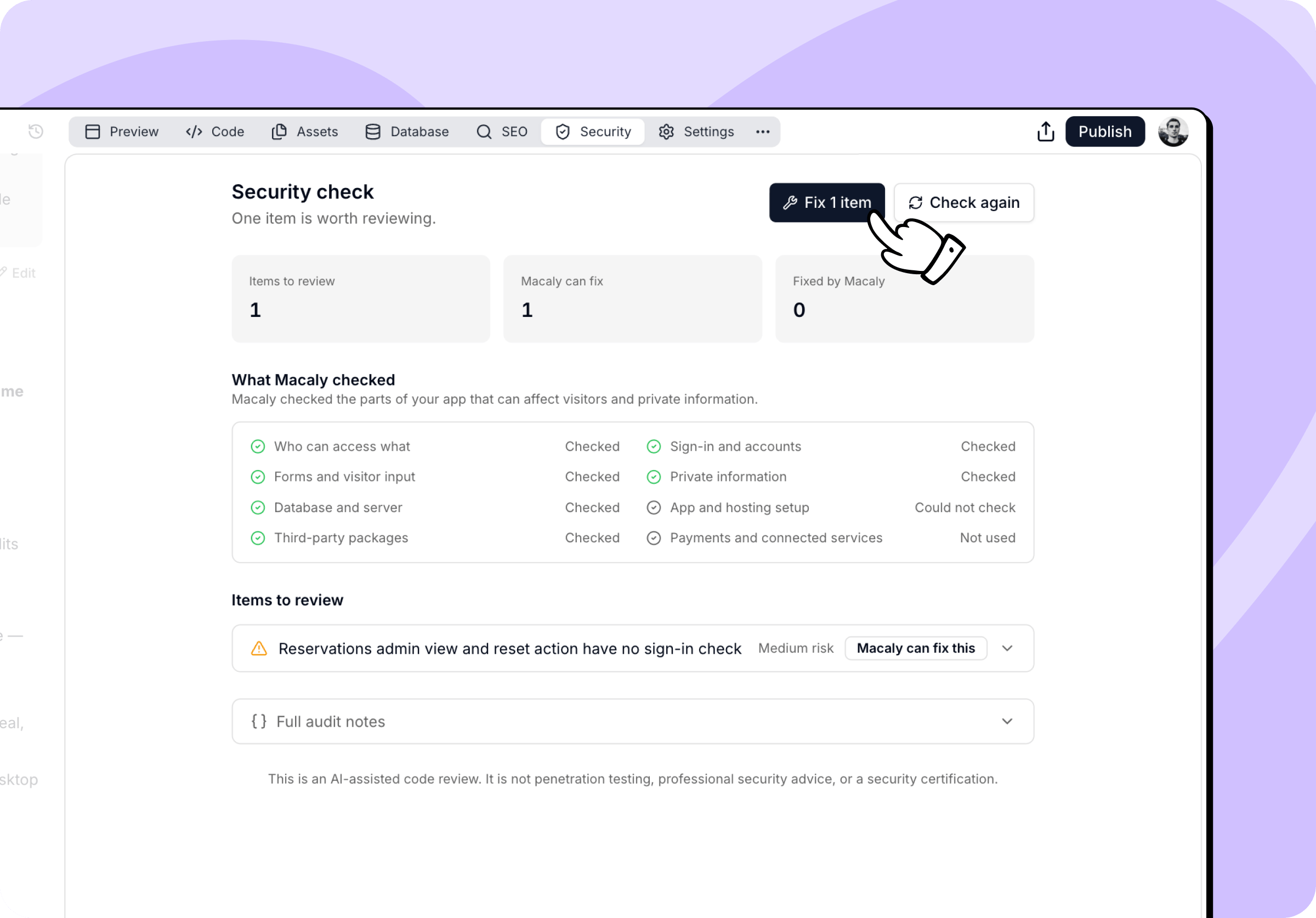
Letting Macaly fix the findings
When at least one finding can be fixed automatically, a fix button appears at the top of the tab and hands the whole set to the agent at once. Macaly backs up your project, applies the fixes, tests the changes, and checks that the gap is closed and your app still behaves as before. This takes up to another 10 to 20 minutes. Findings marked Needs your input afterwards are ones where the fix depends on a decision only you can make, such as who should hold an admin role, or a key that has to be set outside your project. Tell the agent in chat what you want and it takes it from there.Fixes are applied to your project but never published. Publish when you’re happy with them. Since a backup is taken before the fixes start, you can also restore the earlier version from that message in your chat.
Running a new check
Check again at the top of the tab starts a fresh check on the current version of your project. If you or the agent change anything after a check finishes, the tab shows The project changed after this review and the fix button disappears, because those fixes would be based on a version that no longer exists. Run a new check to get an up-to-date list.What it costs
The first check in each chat is free, and so are the fixes that follow it. Every later check in the same chat uses credits, as do its fixes. The tab tells you which one you’re getting before you start.What the check does not do
This is an AI-assisted code review. It is not penetration testing, professional security advice, or a security certification.
- It reviews your source code. It doesn’t attack your published site, scan your servers, or test running infrastructure.
- Each check is a snapshot of your project at that moment. Nothing runs on a schedule, so run a new check after significant changes.
- It can’t confirm everything. Settings your hosting adds, such as security headers, often aren’t visible in your project’s code, so they’re reported under What Macaly could not confirm rather than counted as problems.
- A clean result means nothing concerning was found in the areas Macaly could check. No automated review can guarantee that an app is completely secure.