

Changing who can access a project is available on the Pro and Agency plans. On the Free plan, projects stay visible to workspace members only.
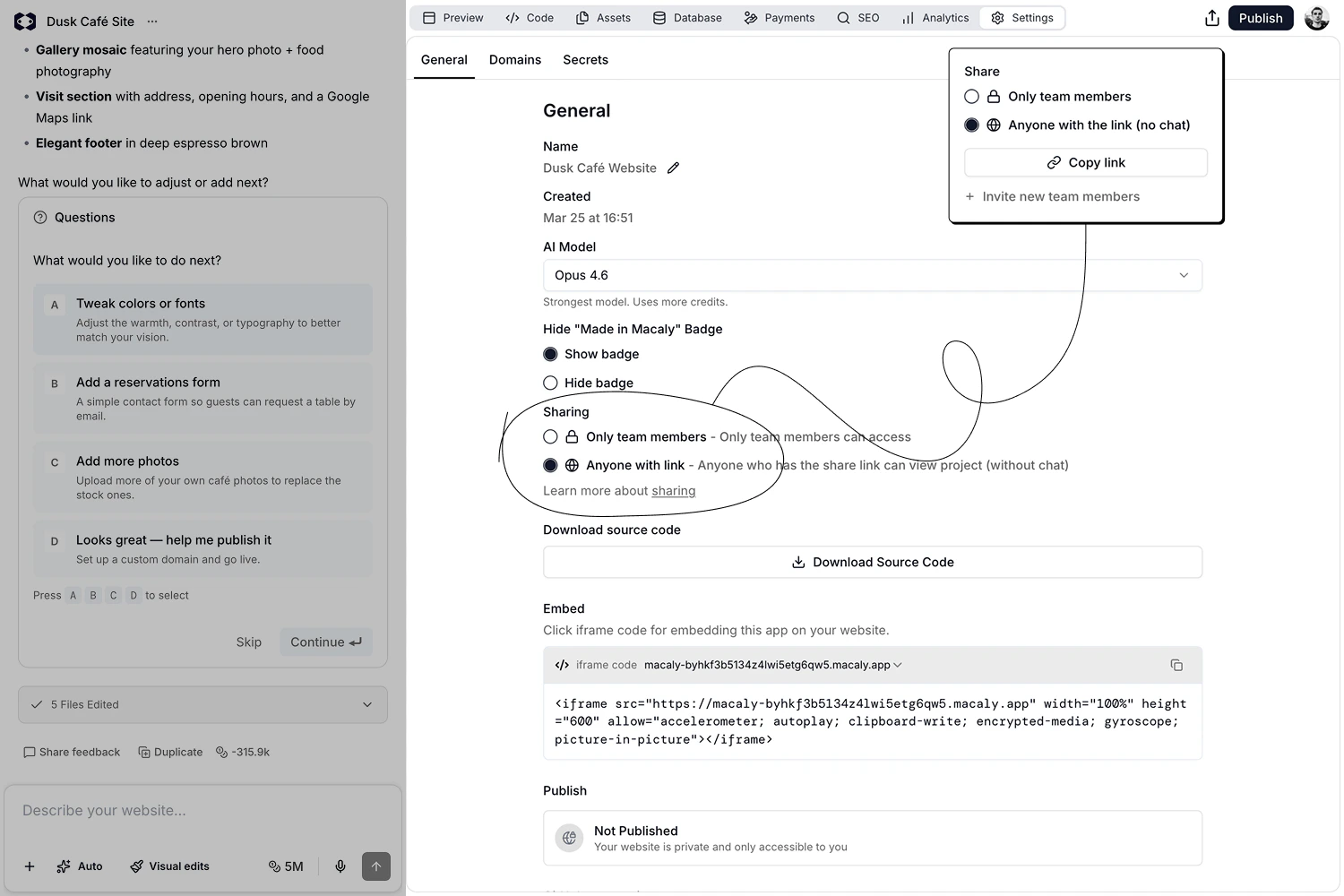
- From the top bar: Click Share next to Publish. Choose who can see the project, copy the link, and invite more people.
- From Chat settings: Go to Settings → General → Sharing to change who can access the project.
Who has access
- Only workspace members: The project is visible to the members of your workspace. Click Copy link to get the address of the chat itself, which only they can open.
- Anyone with the link: Anyone who has the share link can open a preview of the project, even without a Macaly account. The chat history is not included.
- Can view: They see the preview of the project only.
- Can comment: They can browse the preview, add comments, and reply to them. See Comments.