

What is a domain?
A domain is the address people type into their browser to visit your website, like example.com. Think of it as the public name of your site. When someone opens that address, their browser loads the content of your project. In Macaly, you don’t need to set this up upfront. Publishing your project automatically gives you a working domain so your site is immediately accessible.Free Macaly subdomain
Every published Macaly project goes live on a free Macaly subdomain, for example:Older projects may have an address ending in
macaly-app.com. Those keep working as before.Custom domain
A custom domain is a branded address like example.com. If you want your site to live on your own domain, you need a Starter, Pro, or Agency plan (or an existing Hosting plan). Macaly gives you two options:- Connect a domain you already own from any registrar
- Buy and register a new domain directly inside Macaly using credits
How to Publish your Web or App
1
Publish your project
Click Publish in the top-right corner of the editor. Macaly builds and deploys the latest version of your project automatically.Once publishing finishes, your site is live on a free Macaly subdomain and ready to be shared or connected to a custom domain.On the Free plan you can have 1 published app. Publishing a new app needs a free slot. Unpublish an app to free one (it frees within a few minutes), or upgrade your plan. Drafts and previews do not count. If you already have more live apps than your plan includes, see Published apps over the limit.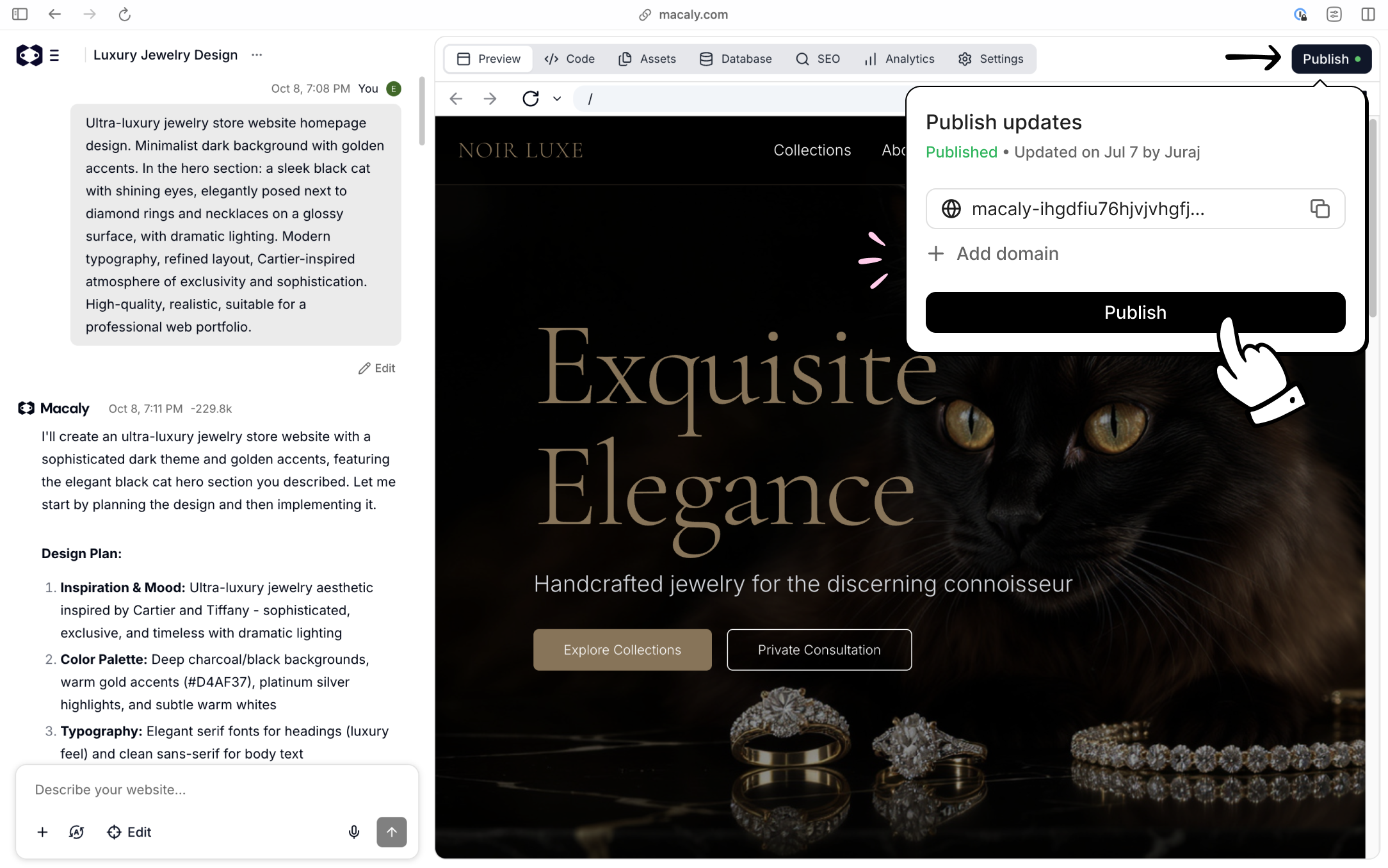
2
Connecting a domain you already own
Open Settings → Domains, enter your domain, and click Connect. Macaly will show you the exact DNS records you need to add. Copy these values into your domain provider’s DNS settings. Once the domain is verified, Macaly shows the SSL certificate status for each address. If it shows SSL certificate missing, click Retry SSL certificate.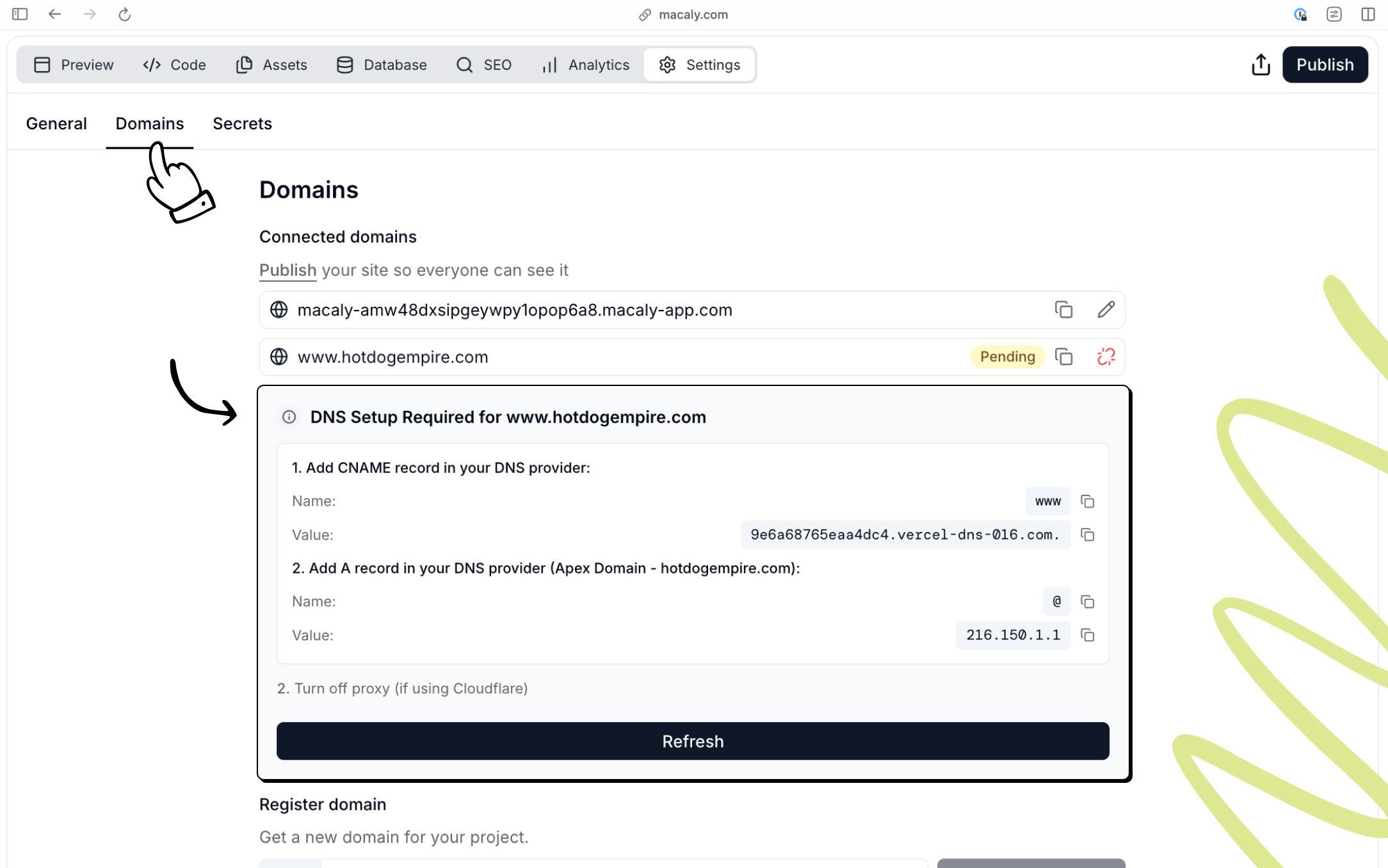
3
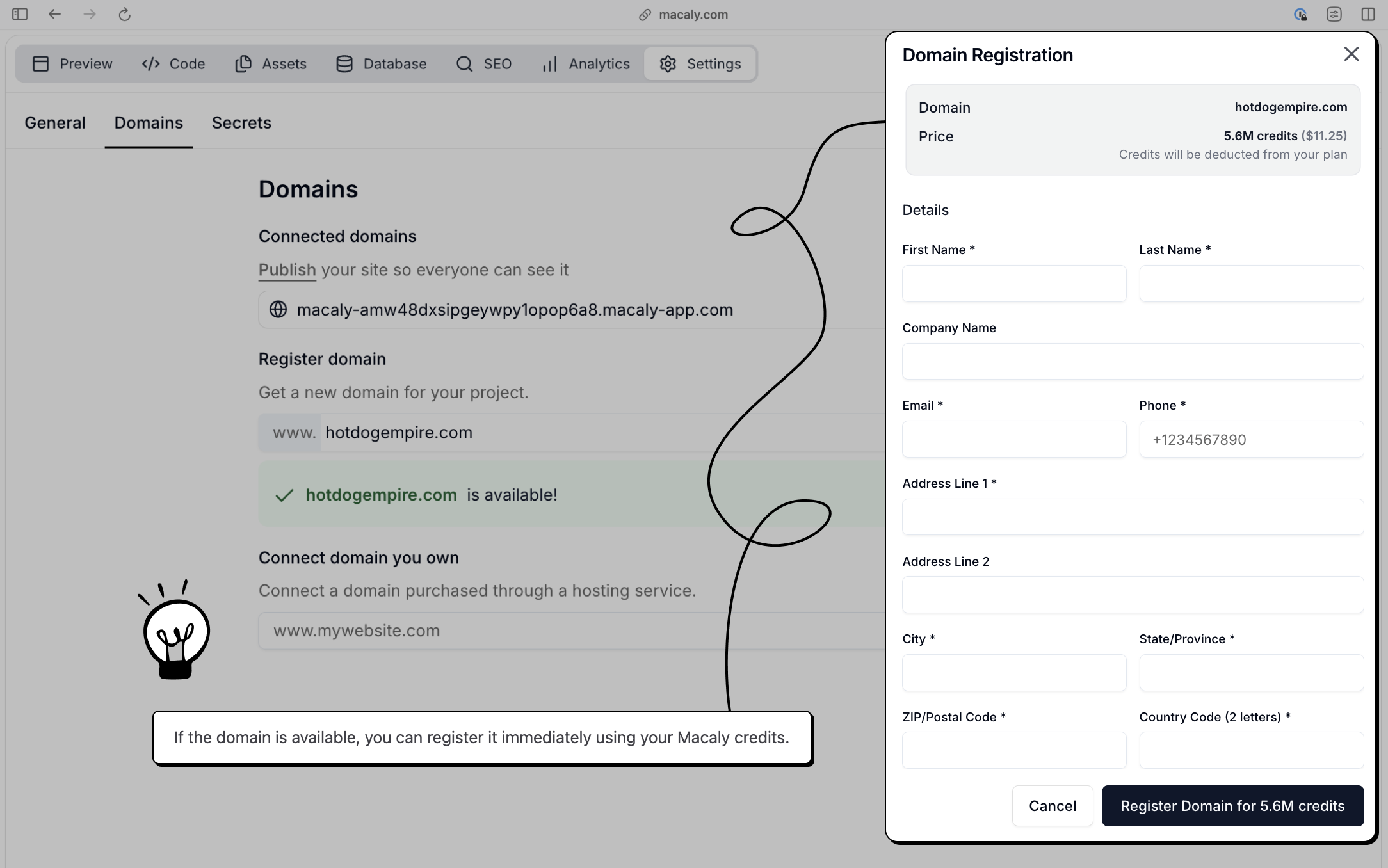
Buy and connect a domain in Macaly
Open Settings → Domains, search for a domain name, and check availability.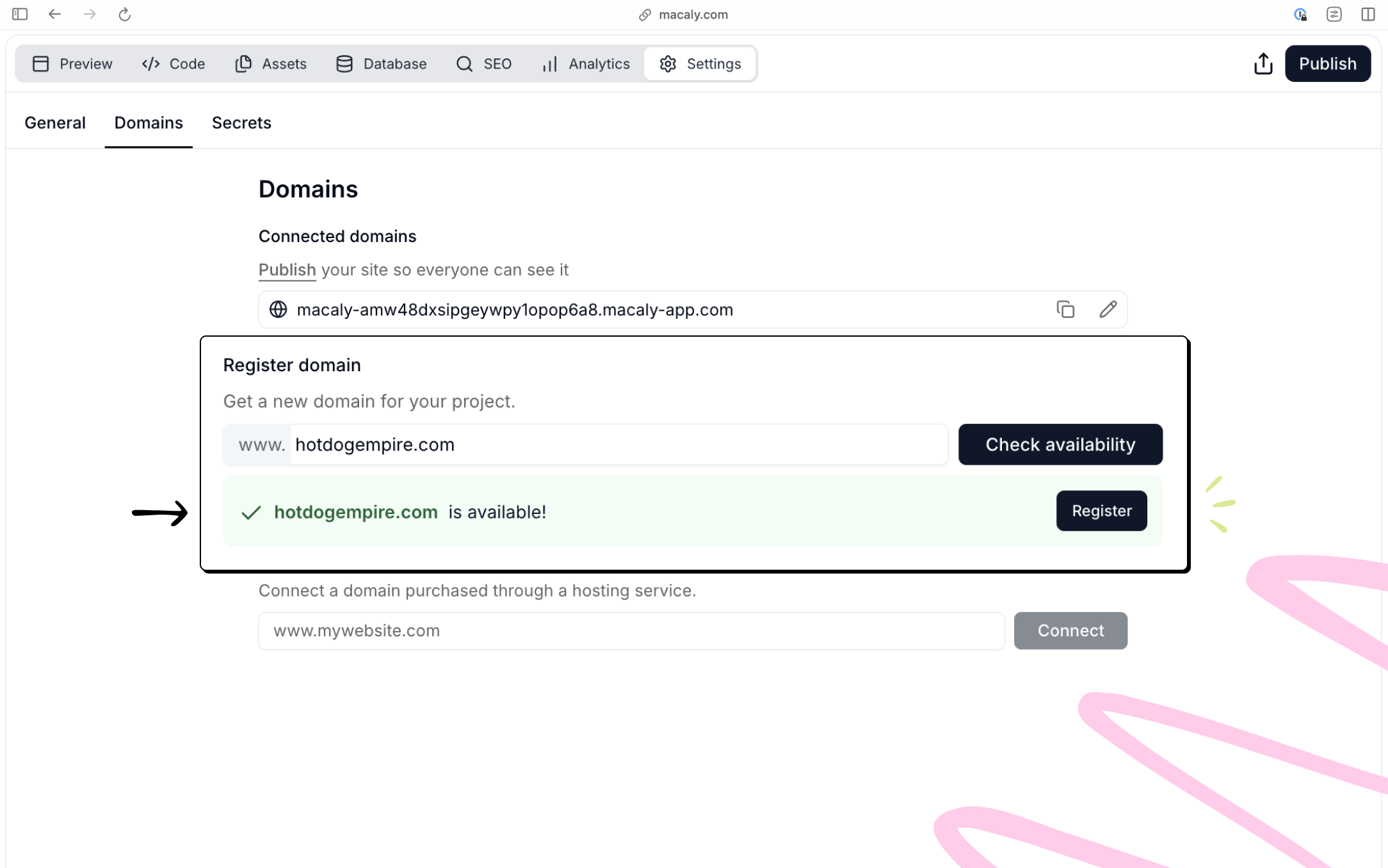
API domain for your app’s backend
Apps with a database also get a stable address for their backend, in the formyourapp.api.macaly.app. It serves the parts of your app that other systems call directly: webhooks from services like Stripe, a public API, or your app’s MCP server.
The API domain is separate from the address of your website. It is derived from your database and never changes, so you can give it to a third party once and forget about it. Publishing on a custom domain doesn’t affect it.
Macaly usually sets the API domain up together with the database. If your app doesn’t have one yet, ask the agent: “Set up an API domain for this app.”
Hosting
Macaly handles hosting and deployment for you, powered by Vercel. When you publish a project, it’s deployed automatically, served securely over HTTPS, and optimized for performance and SEO by default. You don’t need to manage servers, SSL certificates, or a separate hosting provider.Which plan do I need for a custom domain?
Custom domains require the Starter, Pro, or Agency plan, or an existing Hosting plan. Starter ($10/month) gives you 1 published app on your own custom domain, without the Macaly badge. The domain purchase is charged separately. The Free plan stays on a Macaly subdomain.The Hosting plan is no longer offered to new customers. If you are already on Hosting, you keep your plan, price, and features, and you can still manage or cancel it from Billing.
Frequently asked questions
How do I connect my own custom domain?
How do I connect my own custom domain?
In your project, go to Settings → Domains, type your domain name, and click Connect. Macaly will show the DNS records you need to add. Go to your domain registrar and add the A record and CNAME record as shown. After saving the records, return to Macaly and click Refresh. Connecting a custom domain requires a Starter, Pro, or Agency plan, or an existing Hosting plan.
What DNS records do I need to add for my custom domain?
What DNS records do I need to add for my custom domain?
You typically need two records:
- An A record for the root domain pointing to Macaly’s IP address
- A CNAME record for
wwwpointing to Macaly’s hostname
My site works at www but shows an SSL error at the bare domain. How do I fix it?
My site works at www but shows an SSL error at the bare domain. How do I fix it?
Add an A record for the bare/apex domain pointing to Macaly’s IP address (
216.150.1.1). Remove any existing conflicting A or AAAA records for the root domain. If the bare domain shows SSL certificate missing in Settings → Domains even though its records are correct, click Retry SSL certificate. You can retry once an hour. Contact support if you are unsure which records to remove.My domain still shows Pending or Not connected. What should I do?
My domain still shows Pending or Not connected. What should I do?
Double-check that the DNS records at your registrar exactly match what Macaly shows. Remove any conflicting records. Click Refresh in the Macaly Domains panel. DNS propagation can take up to 24 hours.
Can I still buy the Hosting plan to use a custom domain?
Can I still buy the Hosting plan to use a custom domain?
No. The Hosting plan is no longer offered to new customers. To use a custom domain, choose the Starter plan ($10/month) or Pro. If you are already on Hosting, you keep your plan, price, and features, and you can still manage or cancel it from Billing.
Can I set up email for my custom domain?
Can I set up email for my custom domain?
Macaly does not provide email hosting. For email on your custom domain (e.g. info@yoursite.com), sign up with a third-party provider such as Google Workspace, Zoho, or Microsoft 365, and configure their MX records with your registrar. Once you have an email address, the Macaly agent can set up contact forms to send notifications to it.