

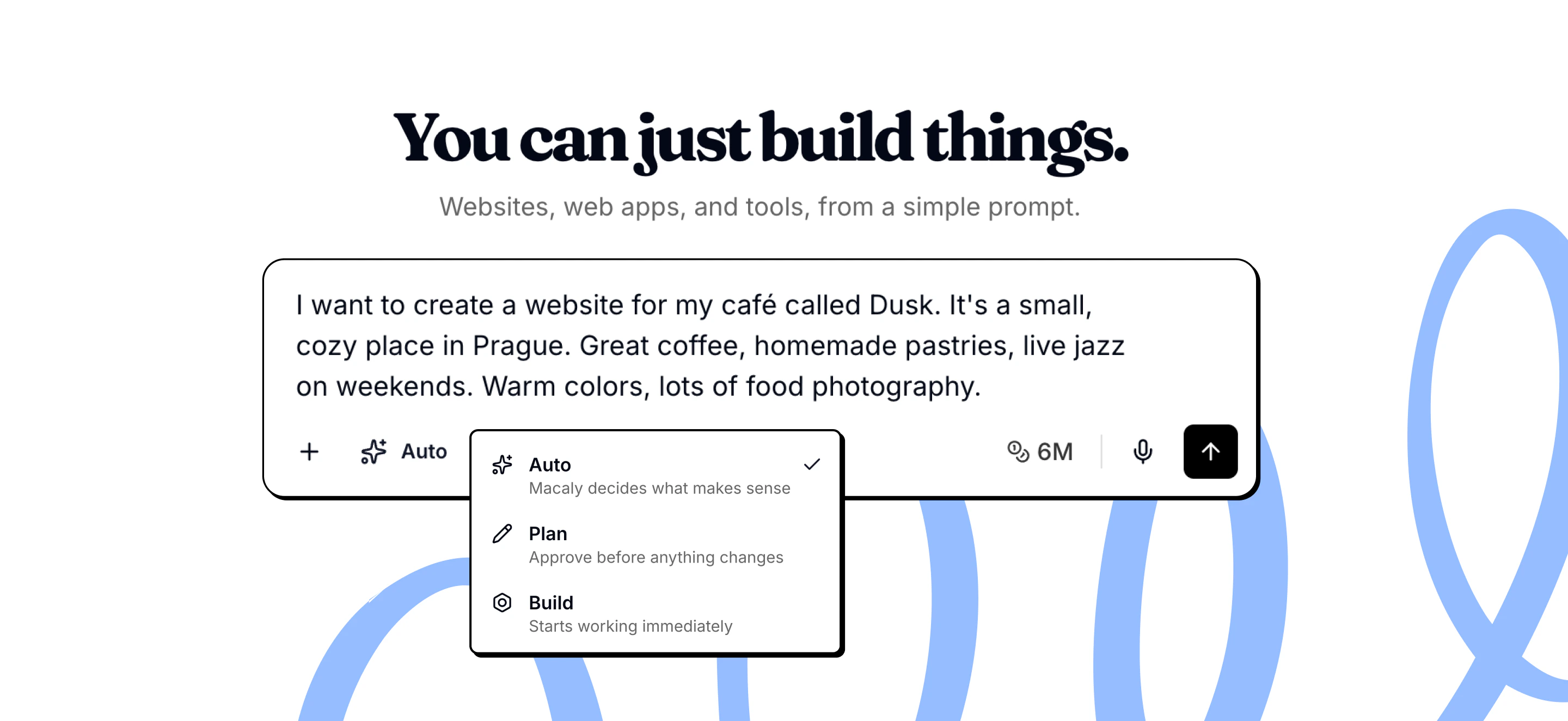
Auto (default)
Auto mode lets the agent decide when to plan and when to build directly. For simple requests, the agent builds right away. For complex or unclear requests, it creates a plan first or asks clarifying questions. This is the default mode because it balances speed and visibility. You get fast results when appropriate, and the agent slows down to check with you when needed. Use Auto when:- You’re working on a mix of simple and complex tasks
- You want the agent to make judgment calls
- You’re not sure which mode fits your request
Plan
Plan mode means the agent always creates a plan before building anything. Turn it on from the mode selector next to the message box. The agent breaks your request into steps, asks any clarifying questions, shows you the approach, and waits for your approval. No code is written until you review and confirm the plan. When the plan is ready, Macaly asks Start building? Choose Yes to start. If you choose Not yet or close the plan, the agent asks what you’d like to change. This gives you full visibility into what will happen before it happens. You can see the agent’s interpretation of your request and adjust the approach before work starts. Use Plan when:- You’re building a complex feature
- You want to understand what will be built
- You want to review the approach before committing
- You’re learning how Macaly works
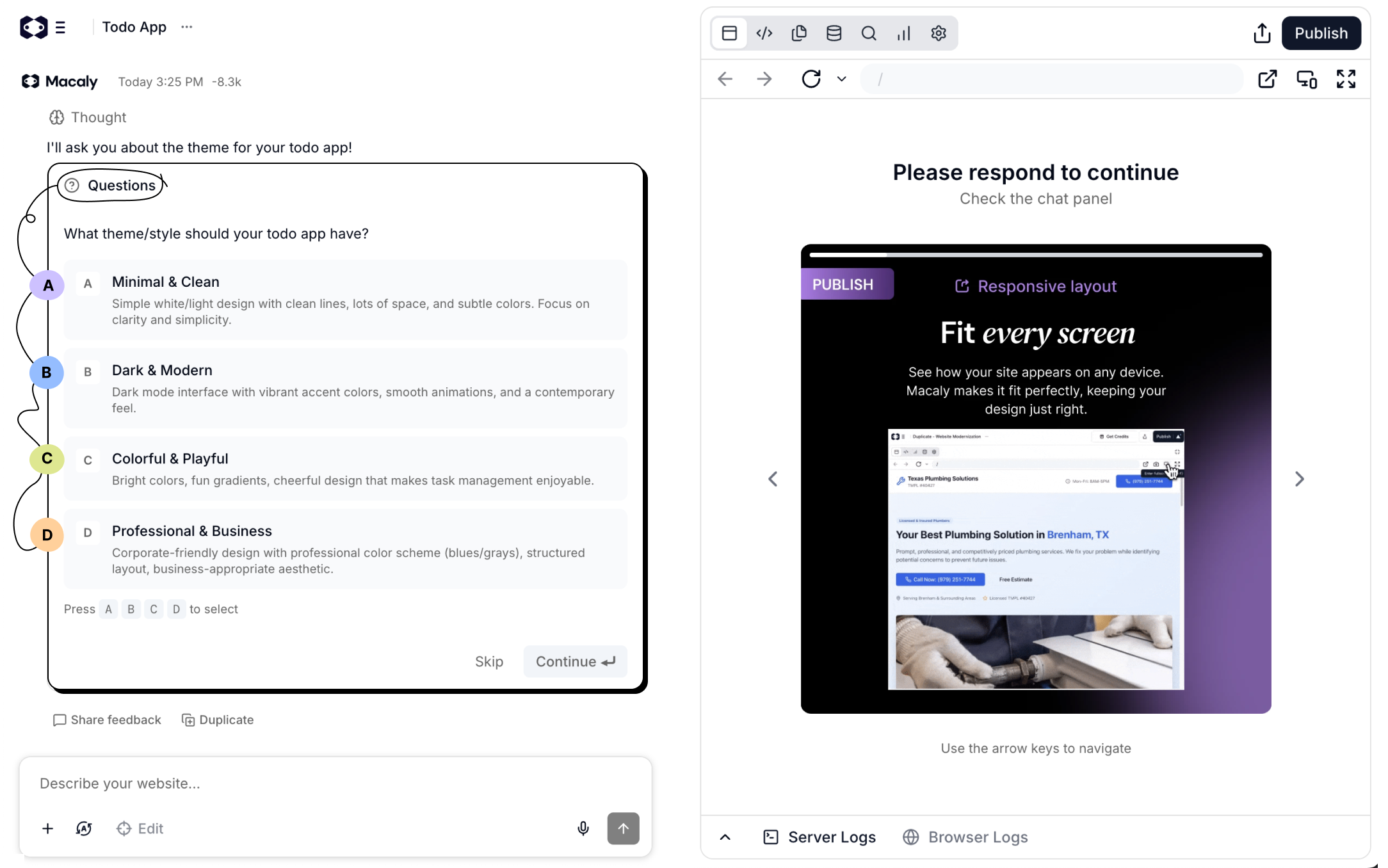
Build
Build mode means the agent works without interruption. It doesn’t create plans or ask questions. It builds directly based on your request, making reasonable assumptions when details are unclear. Use Build when:- You know exactly what you want
- You’re making simple, straightforward changes
- You’re continuing work from an approved plan
- You don’t want to wait for questions or plans
What each mode can do
Not all modes let the agent pause for your input.Why planning helps
Planning isn’t just about control. The agent often builds better when it thinks through the approach first. Catch misunderstandings earlyIf the plan doesn’t match what you had in mind, you can correct it immediately. Fixing a plan is easier than undoing finished work. See what will change
Plans explain the approach in plain language. You don’t need technical knowledge to understand what will happen. Adjust direction before work starts
You can give feedback on the plan to change the approach, add details, or remove parts you don’t need. Complex features benefit most
When adding multi-page features, authentication, or database functionality, a plan ensures alignment before significant work begins.
When planning isn’t necessary
For simple requests, planning adds overhead without value:- Changing text or content
- Adjusting colors and styles
- Fixing obvious bugs
- Anything that takes fewer than three steps
Frequently asked questions
The agent got stuck or is taking too long. What can I do?
The agent got stuck or is taking too long. What can I do?
If the agent shows no progress for more than 10 to 15 minutes, reload the page. If the preview is frozen, try Rebuild Preview or Restart App in its toolbar. If the last change broke your project, use Version history or Restore this version. If the problem persists, contact support with the chat link and approximate time. Credits consumed during a confirmed stuck session will be reviewed.
The agent keeps making the same error. How do I avoid burning credits?
The agent keeps making the same error. How do I avoid burning credits?
When reporting an error, be as specific as possible. Describe what you were doing before the error, what you see now, what is not working, and what the correct behavior should be. The more detail you provide, the better the agent can fix it on the first try.
How many steps can the agent take per request?
How many steps can the agent take per request?
Macaly has approximately 20 steps per user request. If your prompt is too complex, the agent may not complete everything. Break large requests into smaller sequential steps: send one specific change per message, verify it works, then move on.
How do I create a backup of my project?
How do I create a backup of my project?
Macaly saves project versions so you can restore earlier code. For your own copies, use GitHub for code if your plan supports it, and Export in the Database tab for table data. The ZIP does not include files uploaded to your app. A duplicate copies the current project, not an earlier database state.
Can I restore a previous version of my project?
Can I restore a previous version of my project?
Yes. Click the clock icon in the top bar to open Version history, pick a version to preview it, and click Restore. You can also use the Restore this version button under any agent response. Either way, the project code goes back to the state it was in at that point. See Version history. This restores code only, not database data or files uploaded to your app. Publish again to update your live site.