

Available on the Pro and Agency plans. You can connect through any paid workspace you belong to, even if your personal workspace is on Free.
Why connect GitHub
- Back up your project to a private repo. Your code lives in a GitHub repository you own.
- Push updates to GitHub. Send your latest Macaly version to the repo as a pull request you merge.
- Pull changes back into your project. Restore your project from the version stored on GitHub.
- Import a project from GitHub. Start a new Macaly project from a repository you pushed earlier.
Connect GitHub to your project
1
Open your project settings
In your project, click Settings in the top bar, then open the General tab.
2
Create the repository
Scroll to GitHub connection and click Create on GitHub. The first time, you’ll authorize Macaly on GitHub and choose which GitHub account or organization to connect. Pick one that already has the app, or choose Install on another GitHub account. Macaly then creates a private repository and syncs your project into it.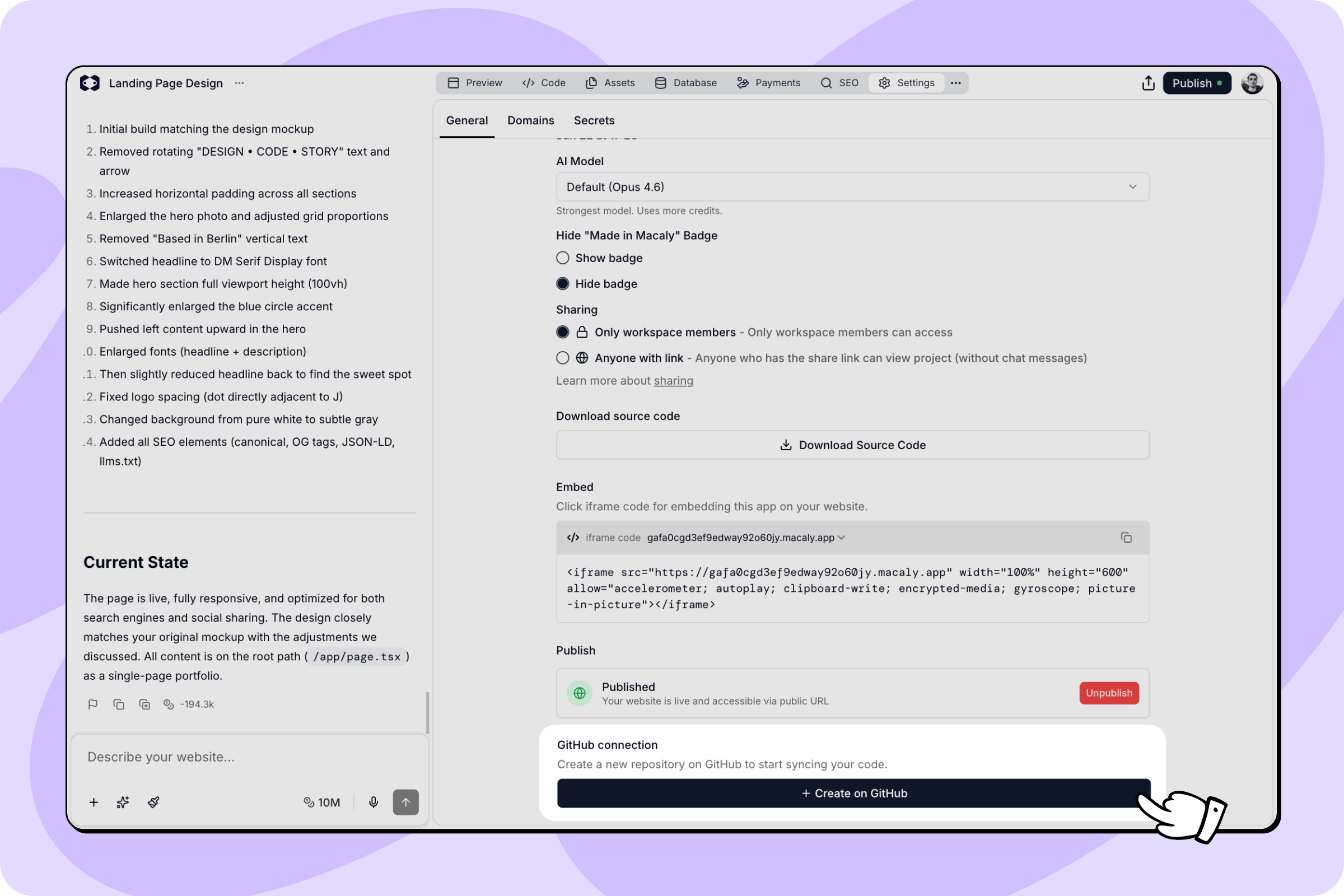
3
Your repository is linked
The section now shows your repository name with a link to open it on GitHub. From here you can push and pull changes.
Push and pull changes
Once your repository is linked, the GitHub connection section shows two buttons:- Push changes sends your latest Macaly version to GitHub. Macaly opens a pull request titled “Updates from Macaly” that you review and merge on GitHub.
- Pull changes replaces your project’s files with the version from GitHub. Macaly asks you to confirm first. Your
.envand.env.localfiles are always kept.
X button next to its name.
Import a project from GitHub
You can start a new Macaly project from a repository you previously pushed from Macaly.1
Turn on the import action
Open Preferences in your account settings, scroll to Advanced, and enable Import from GitHub. This shows the action on the home screen.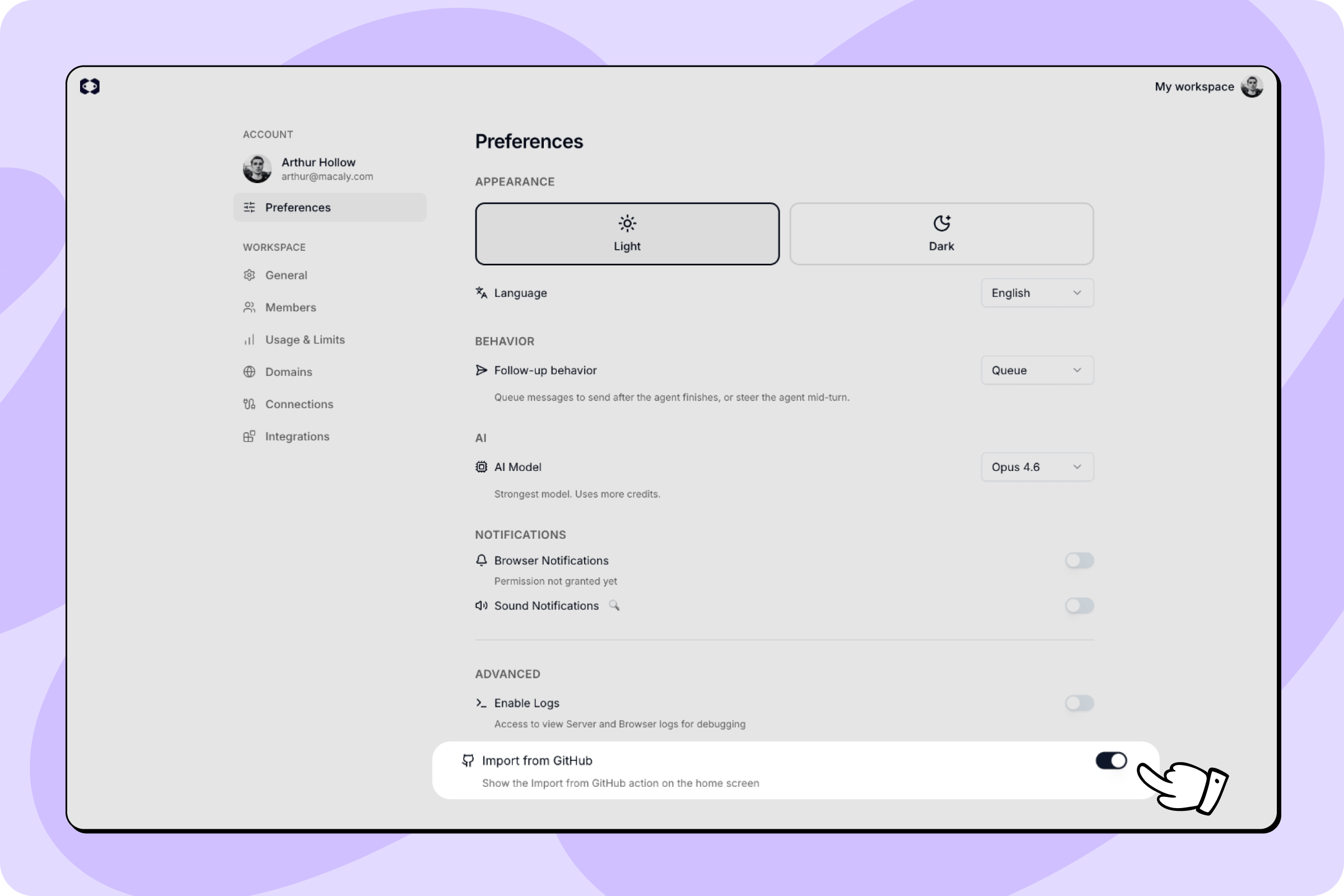
2
Open Import from GitHub
On the home screen, open the + menu in the prompt bar and choose Import from GitHub.
3
Pick a repository
Search for the repository and select it. Macaly creates a new project from it. Use Configure to reconnect GitHub or switch accounts, and Refresh to reload the list. You only see repositories your GitHub account can access.
Import works with repositories that Macaly created. Importing an external, non-Macaly repository isn’t supported.
What gets synced
Your project files, components, pages, styles, assets, and Macaly configuration are included. Environment variables (.env files) and cache files are never pushed, and pulling never overwrites your .env and .env.local.
Good to know
- Repositories are always private. Your code is never made public by Macaly.
- A free GitHub account works. You don’t need a paid GitHub plan.
- Pushing opens a pull request you merge on GitHub. It doesn’t change your live site.
- Pulling replaces your project files but keeps your
.envand.env.local.