Get your website found on Google

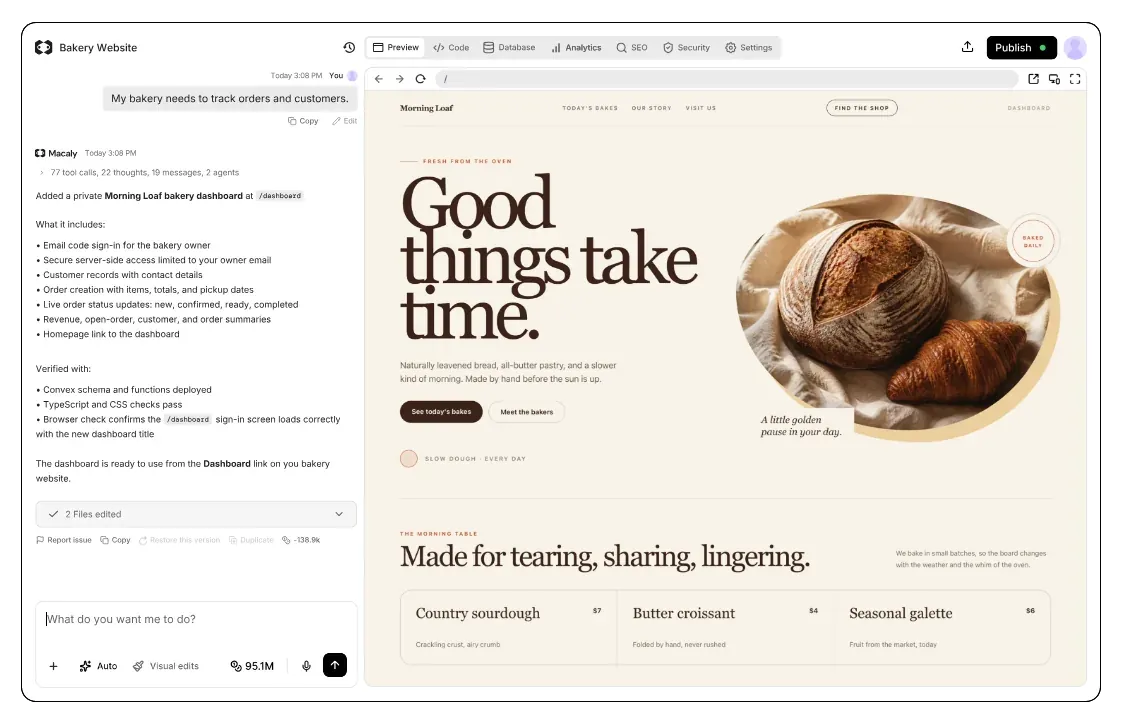
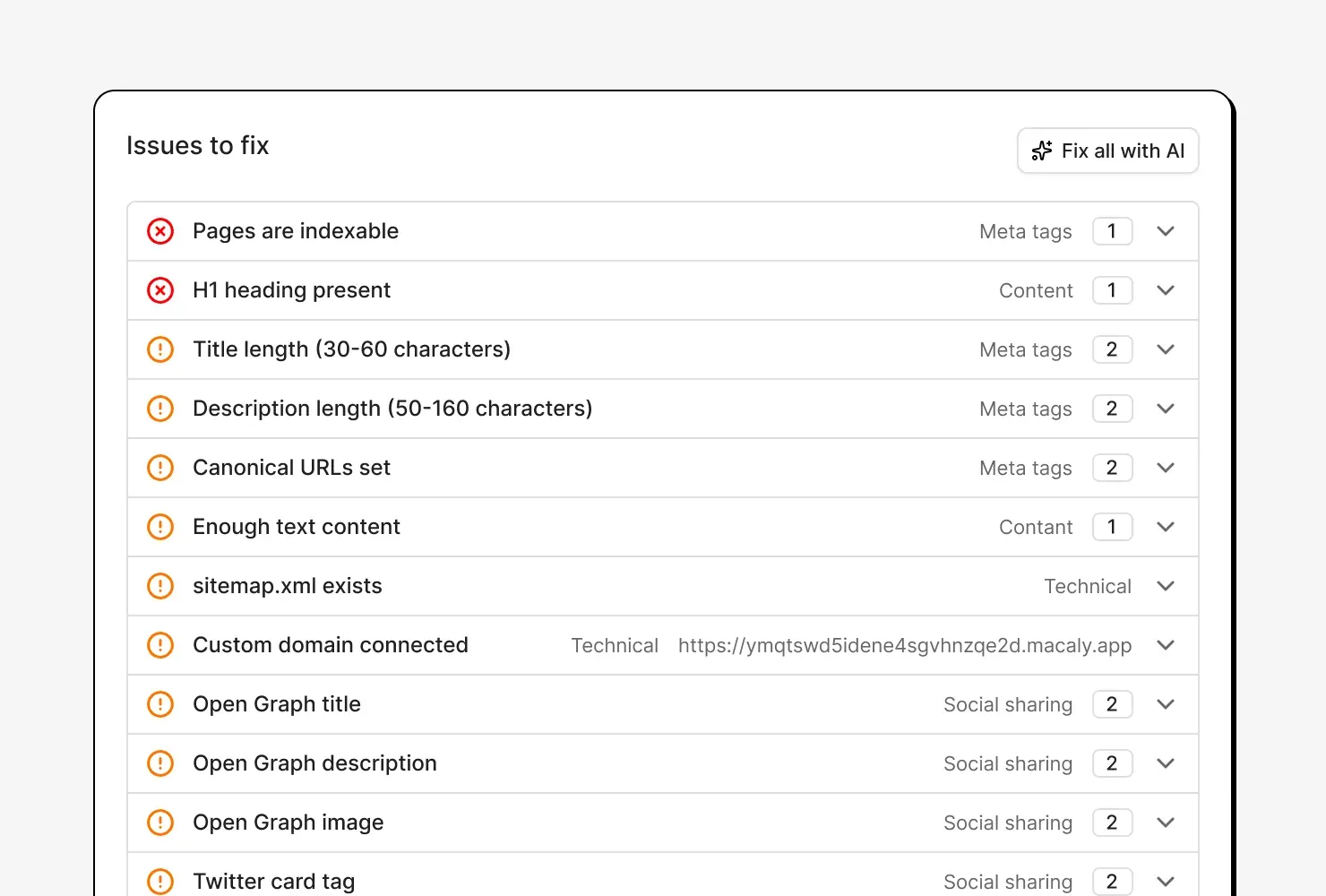
Whenever you publish changes, Macaly runs a free SEO audit and suggests what to improve. One click hands any fix to the agent.
How search engines find your site
Search engines send a program called a crawler to read your pages. From each page's title, description, headings and text, it works out what the page is about.
Not every crawler waits for a page's scripts to run, so text that only shows up after they load can be missed. AI assistants such as ChatGPT or Perplexity use crawlers too.
Macaly renders your pages on the server, so the text is there before any script runs. The audit reads your published pages the same way, so it sees what those crawlers see.
What the audit looks for


Set up SEO for my bakery's website


A check-up after every publish
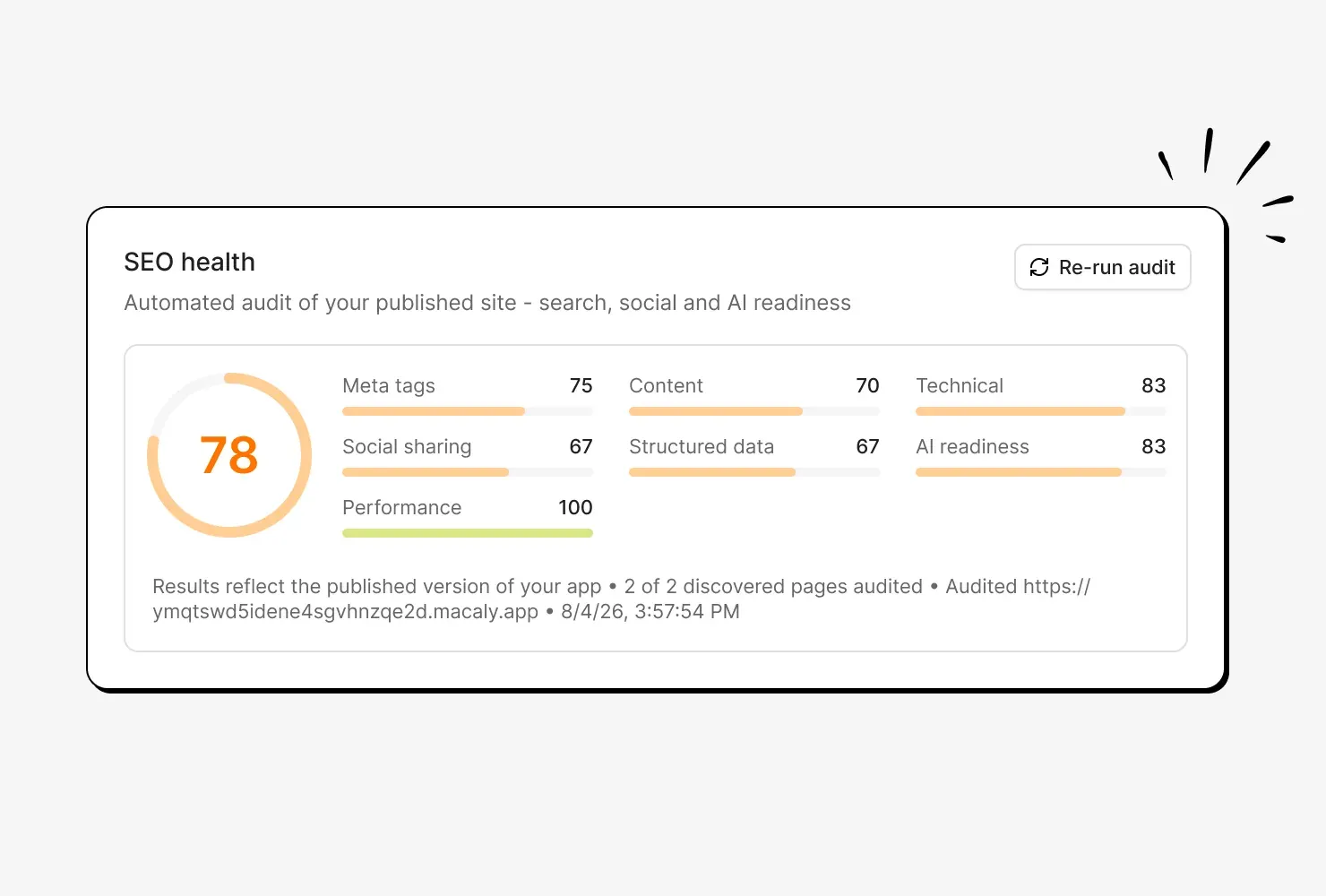
After every publish, an audit scores your site out of 100 across seven areas, from meta tags to speed, so you know what to tackle first.

Fix issues with one click
Click the Fix with AI button next to an issue and the agent makes the change. Or hand it the whole list and see the results after your next publish.

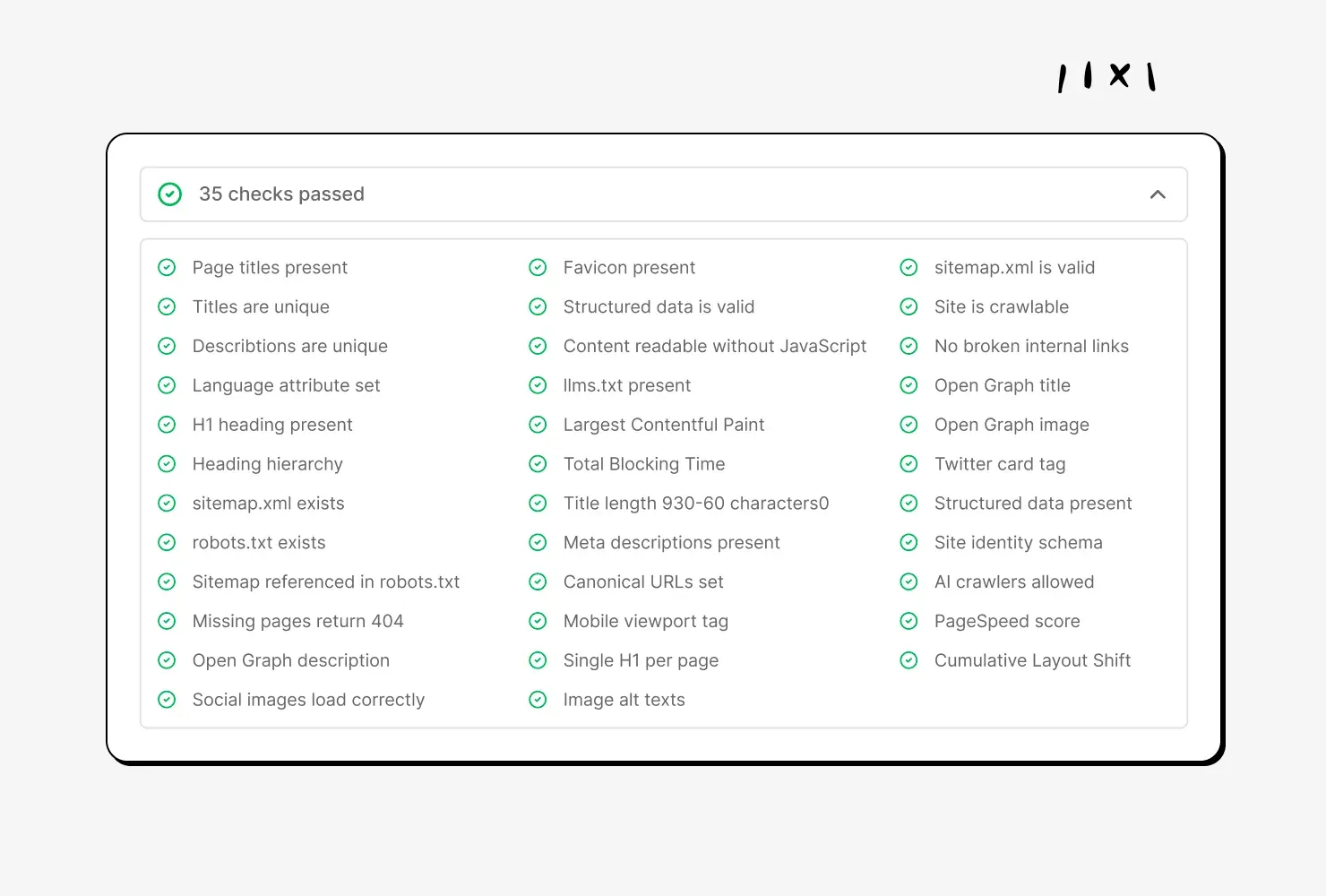
Checked for AI assistants too
Your site also gets a score for how ready it is for AI tools and chatbots, such as whether AI crawlers can reach and read your pages.

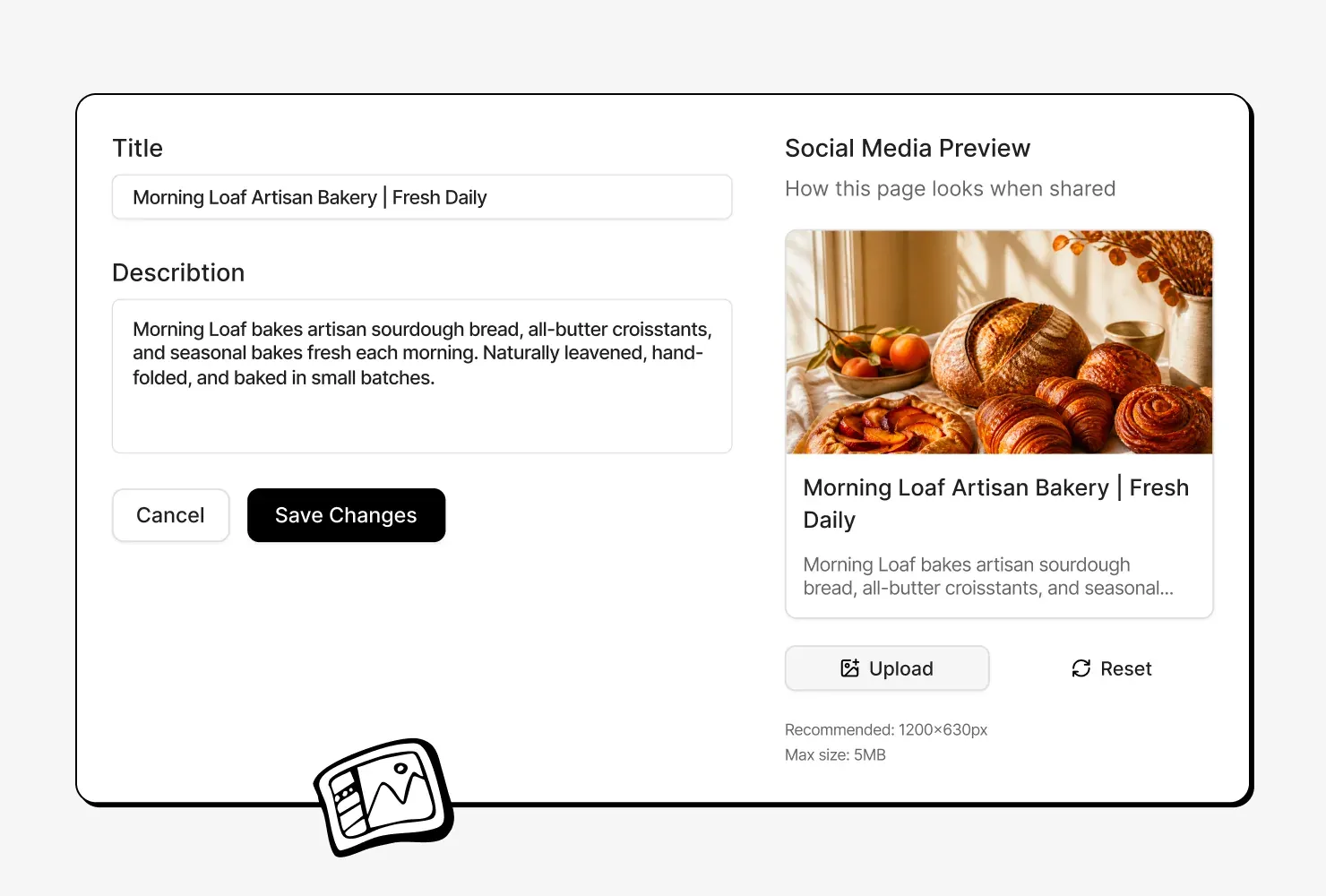
Edit page titles and descriptions
Edit page titles and descriptions in your SEO settings and preview how they look when shared, or let the agent do it with the Set up SEO button.
Checking your SEO, before and after
SEO anywhere else
- Running your site through an SEO checker
- Looking up what each warning means
- Writing a title and description for every page
- Making a sitemap and a robots file
- Testing your speed in a separate tool
- Making the fixes, then checking again
SEO in Macaly
- Publishing, then clicking the Fix with AI button
Frequently asked questions
Yes. Pages are rendered on the server, so search engines and AI crawlers get the full text in the HTML. After every publish, the SEO audit checks the rest of the site and lists what to fix.
No. Every issue in the audit comes with a one-line explanation, and Fix with AI hands the issue to the agent to fix in your project.
The audit scores seven areas: meta tags, content, technical setup, social sharing, structured data, AI readiness and performance. It reads up to 30 pages, covering titles, descriptions, headings, image alt text, the sitemap, the robots file, broken links and share images.
Yes. Ask the Macaly agent for an SEO audit and it checks a private, temporary copy of your site. The audit in the SEO tab sees the published site, the version search engines see.
The SEO audit has an AI readiness score that checks whether AI tools are able to read your site: text that loads without scripts, AI crawlers that aren't blocked, and an llms.txt file. Whether an AI tool then shows or cites the site is up to that tool.