Ask for login, and people can sign in

Choose Google, a one-time email code or a password. Macaly creates the sign-in pages, handles the emails and saves every account to your database.
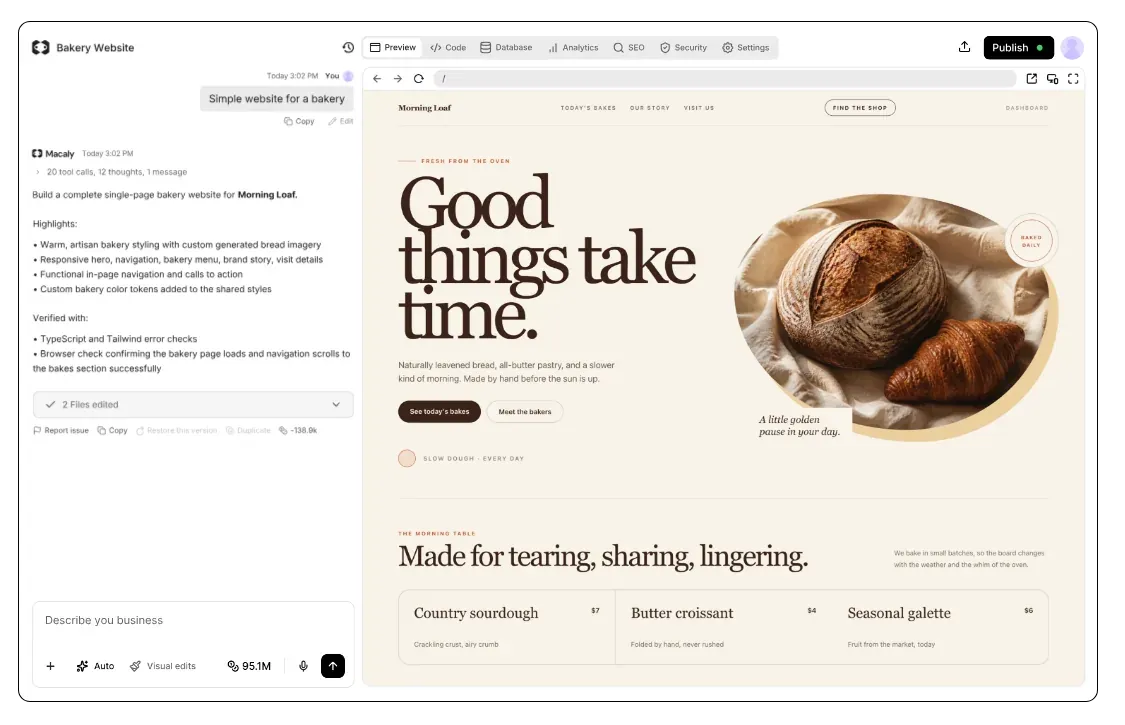
Why login is more work than it looks
A login looks like a form with two fields. Behind it, someone has to store accounts safely, check that each email address is real, let people reset a forgotten password, keep them signed in, and make sure nobody can open anyone else's data.
Building it yourself usually means signing up for a login service and an email service, then wiring both into your site. With Macaly, you ask the agent for login and it takes care of everything else.
You need login as soon as your site has


Add Google sign-in to my app


Let visitors sign in with Google
Macaly sets up Google sign-in for you. Sign-up and sign-in work right away, in the preview and on your published site, custom domain included.
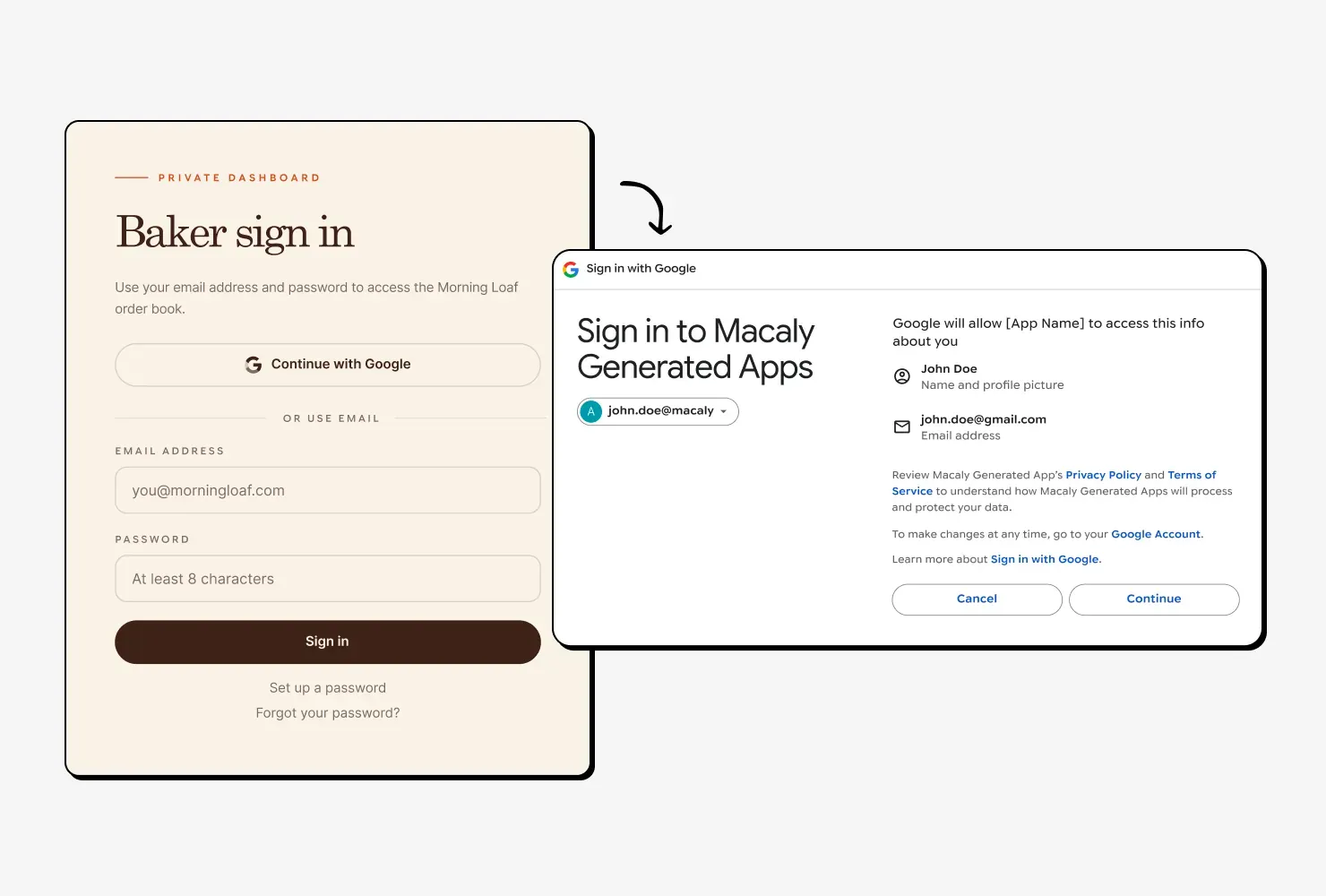

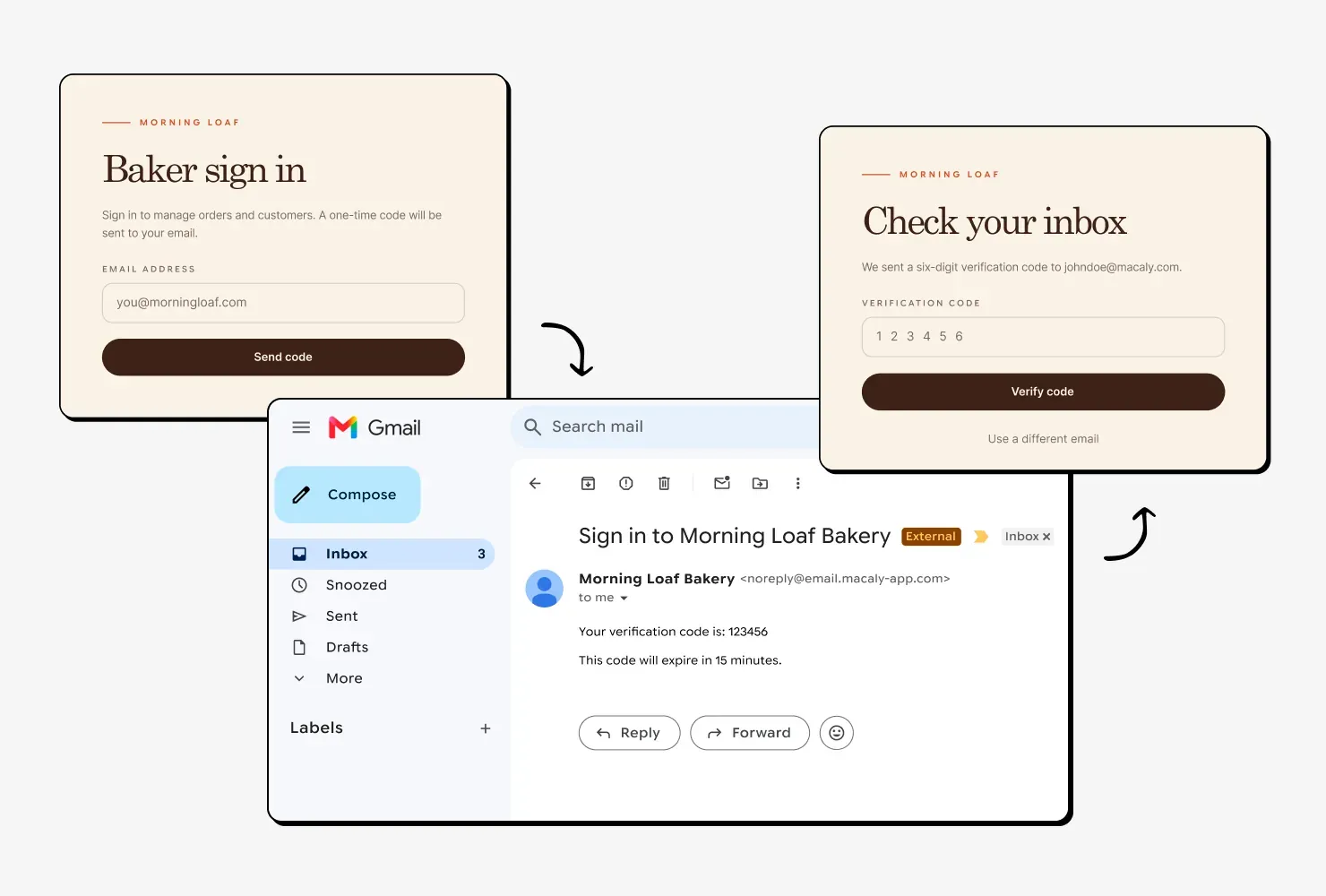
Sign in with a one-time code or a password
Users can get a one-time code by email or set their own password, with verification and reset included. Macaly takes care of sending every email.

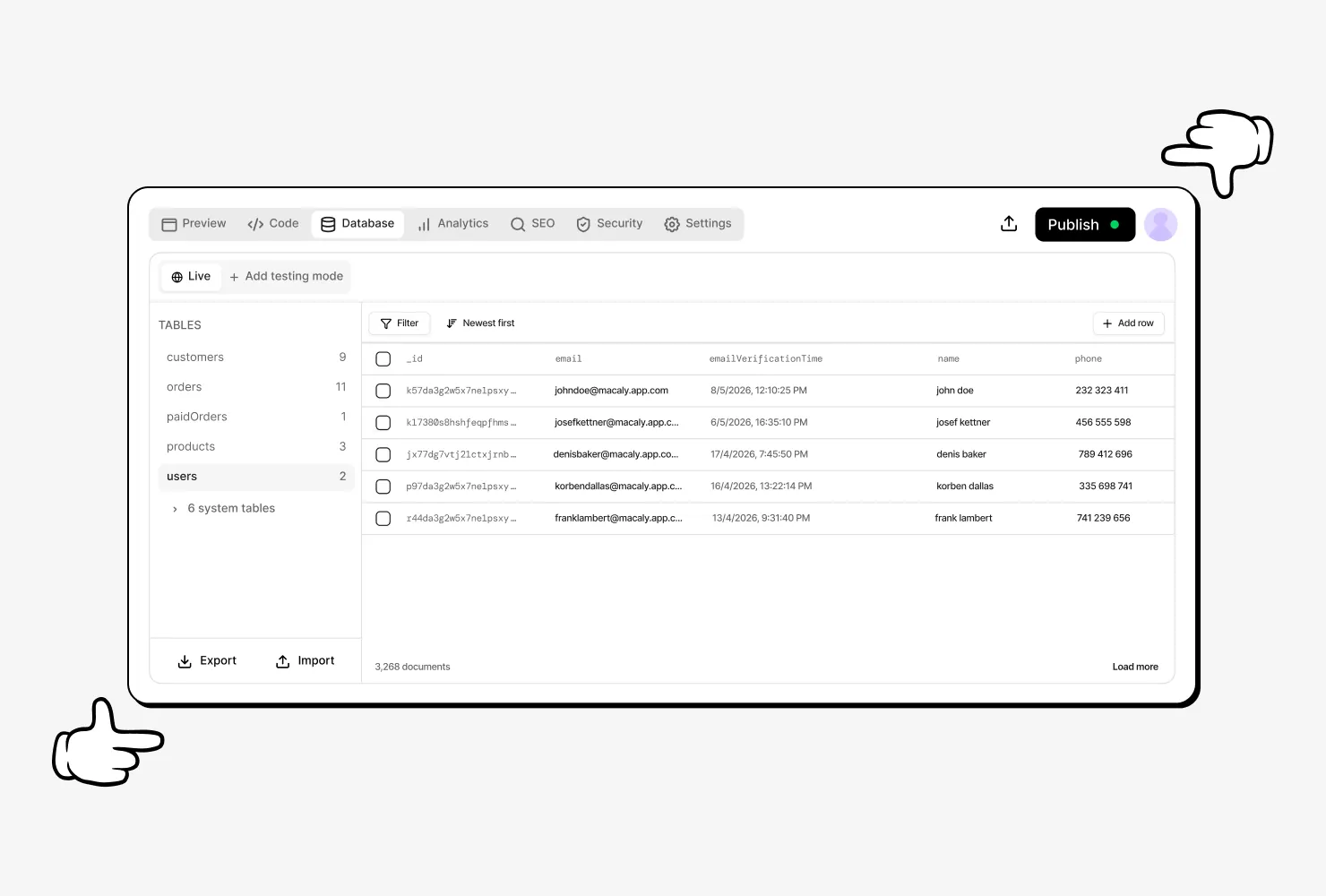
See everyone who signed up
Every account is saved in your website's own database. Browse your users, search for anyone and edit their details right in the table.

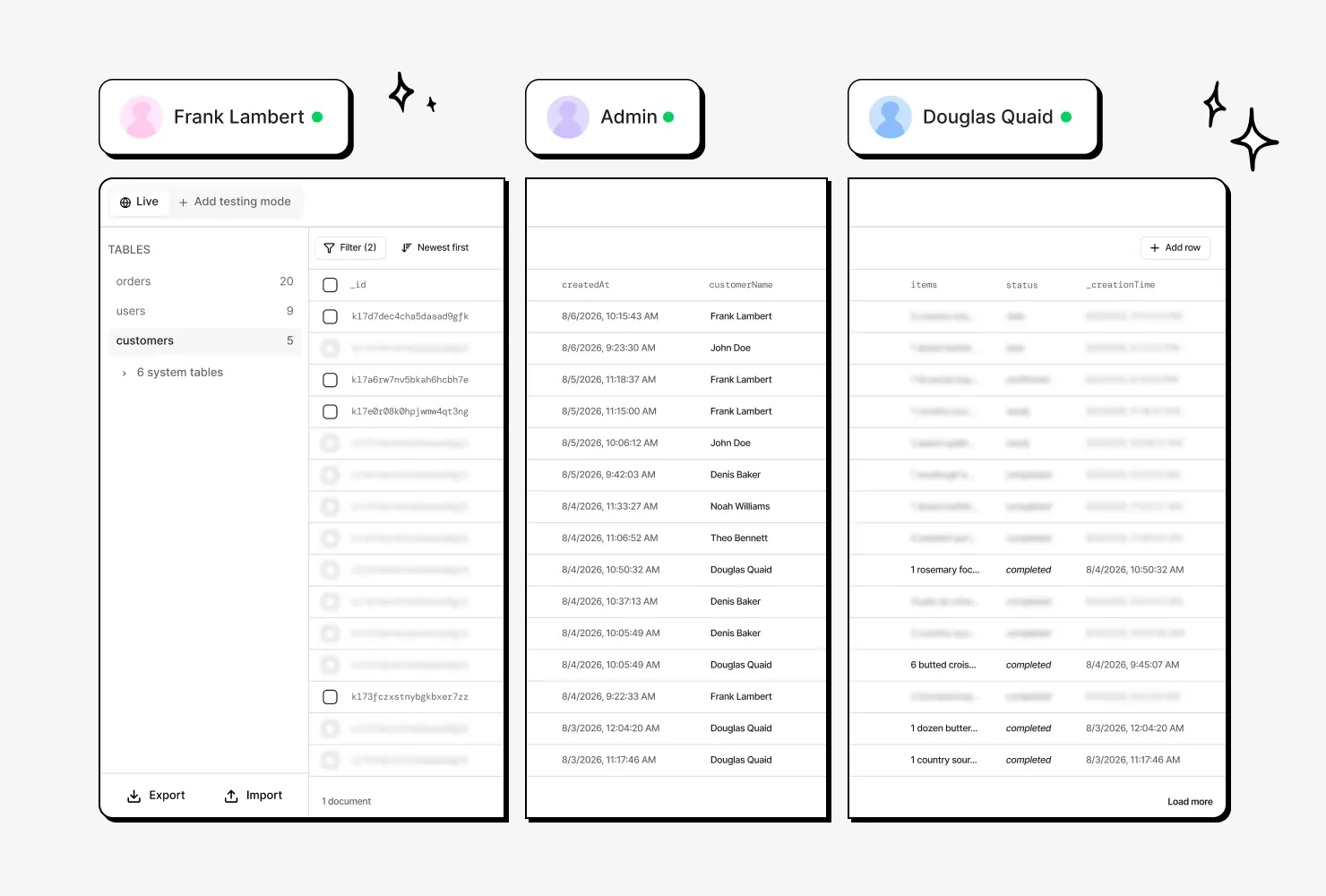
Each person sees only their own data
When your site saves an order or a booking, it's tied to that one user. You can run a Security check at any time to review it all.
Setting up login, before and after
Login anywhere else
- Choosing a login service and creating an account
- Setting up a Google Cloud project for Google sign-in
- Pasting keys from Google into your project
- Signing up for an email service to send the codes
- Building the sign-up, sign-in and password reset screens
- Making sure nobody can see anyone else's data
Login in Macaly
- Telling the agent how people should sign in
Frequently asked questions
Ask the agent to add login. Macaly can set up sign-in with Google, with a one-time code sent by email, or with an email and password. One website can offer several of these at once.
No. Macaly provides both: it runs the Google sign-in setup and sends the sign-in, verification and password reset emails.
Yes. Google sign-in built by Macaly works in the preview, on the published website and on your own domain once the domain is connected.
Yes. A Macaly website can offer Google sign-in alongside sign-in with a one-time code or a password.
Yes. Tell the Macaly agent who should be an admin and what only admins can do. The agent checks each person's role whenever admin data is read, so regular users can't reach it through a direct link.
Yes. Tell the Macaly agent which addresses should have access, for example only people at your company, and it sets up email sign-in that accepts only those addresses.
Yes. Set a password in your project's settings, and visitors need it to open the website. Password protection is available on the Pro and Agency plans.