Turn a PDF into a website
Drop in the PDF, or paste a link or the text. Macaly turns the content into pages people can read on a phone, and the original file can stay as a download.

Your PDF next to the website
Pick a document and see the website it turns into, with its own navigation and a layout that still works on a phone.
Spaces that get better with use.
Homes, civic rooms and renovations designed around the people who use them every day.
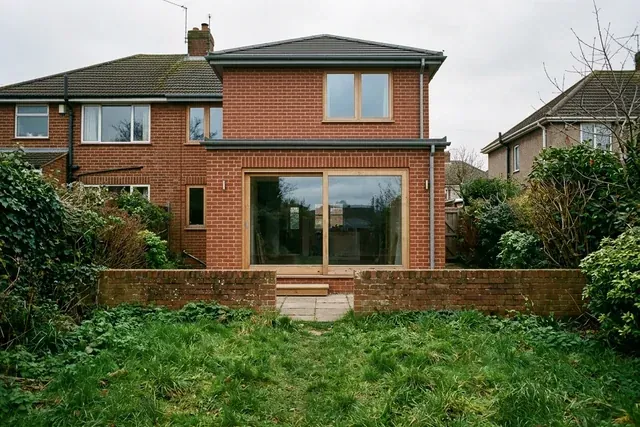
Recent work
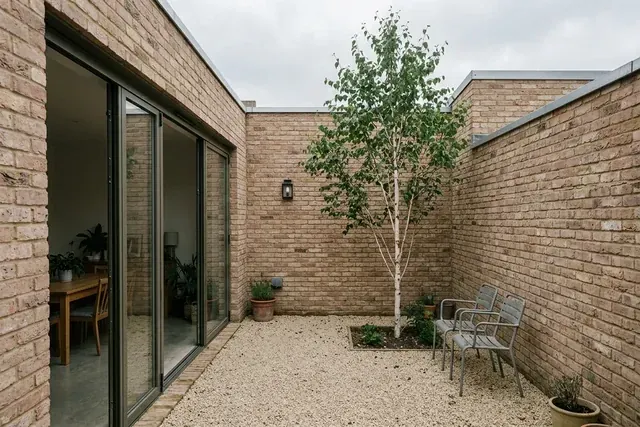
Residential
Marsh House
A courtyard brings daylight deep into a compact family home.

Community
The Reading Room
A closed shop becomes a library, workshop and shared table.
Built from field-and-form-brochure.pdf, 12 pages. Fictional examples.
Each chapter gets its own page
The document's contents list becomes the site's navigation, and a chapter with a subject of its own gets its own page at its own address. Someone looking for one project lands on it instead of scrolling past eleven pages to reach it.
Readable on a phone
A PDF on a phone is an A4 page shrunk to fit the screen, so reading it means pinching in, dragging sideways and pinching back out. A website has no fixed page size, so the text fits the screen.
Spaces that get better with use.
Homes, civic rooms and renovations designed around the people who use them every day.
See the projectsRecent work
Marsh House
A courtyard brings daylight deep into a compact family home.
The original PDF as a download
Some visitors want the file itself. Ask for it in the chat and the original PDF sits on the site next to the pages, down in the footer where people go looking for it, ready to print or save a copy.
Have a building in mind?
Get in touchField & Form
Your own domain
Publishing puts the site on a free address straight away, and every new version goes live at that same address. When you want your own name on it, connect a domain you already own or buy one in Macaly, and the secure connection is set up for you.
Domains
Connected domains
Register domain
Get a new domain for your project.
Connect domain you own
Connect a domain purchased through a hosting service.
Questions people ask first
Yes. Drop the file into the box at the top of this page, or paste a link to it or the text inside it, and Macaly builds a website from that content with sections, navigation and layouts that fit a phone. A link can be any public web address, so a shared drive works too. You get a website project you can keep editing, with the content laid out as real pages.
That is the usual case, and it works. Drop the file into the box at the top of this page and your browser reads the text out of it, so nothing is uploaded here. That text is what starts the project. If you want the pictures and the layout too, attach the PDF in the chat once you are in.
A scan is a photograph of a page, so there is no text inside the file to read. The box says so instead of starting an empty project. Type or paste the words you want on the site, and you can still attach the scan in the chat afterwards so the pictures are there to work from.
It keeps the content and the feel. The page geometry changes: A4 columns and small print are built for paper and get uncomfortable on a phone, so the agent rebuilds the hierarchy for a screen. If you want the fonts, colours or a specific spread carried over, say so in the chat and it will.
Macaly reads the structure of the document and gives a chapter with a subject of its own its own page at its own address, so a brochure's contents list ends up as the site's navigation. Short sections that belong together land on one page instead. If you want a different split, or everything on one long page, say so in the chat and it changes.
Simple tables become tables you can read on a narrow screen. Charts and diagrams usually come across as images, so send the original picture files when the quality matters. Check the numbers in the draft before you publish.
Yes, if you ask for it. Say in the chat that you want it kept as a download, and Macaly puts a labelled link to it on the site, usually in the footer. Anyone who needs to print it or file a copy gets the file, and everyone else reads the pages.
Nothing to start. Drop in the file, sign in or make a free account, and you can publish the result on a free macaly.app address. Your own domain and the bigger plans are paid, and the pricing page lists what each costs.
Yes. When you publish, the brochure or CV goes live on a free address, and every update lands on that same address, so a link you have already sent keeps working. To put your own name in the address, connect a domain you already own or buy one in Macaly. The secure connection is set up for you.
You can, and for something people print that works well: the file opens exactly as you made it. On a phone it works badly. A viewer hands people a whole A4 page to pinch and drag around, with no navigation and nothing that reflows. A website reflows, so the words are the right size the moment the page opens. You can have both, the site to read and the file to download.
It is told to use only what you give it and to ask you for anything missing. Read the draft anyway and check names, dates, prices and anything legal before it goes live.