

What is an agent?
If you’ve used ChatGPT or similar tools, you’re already familiar with chatbots. You ask a question, it gives you an answer. That’s where it stops. An agent is different. It takes action. Think of it this way:- A chatbot will tell you how to order pizza.
- An agent checks restaurants, compare prices, place the order, and let you know when it arrives.
Modes
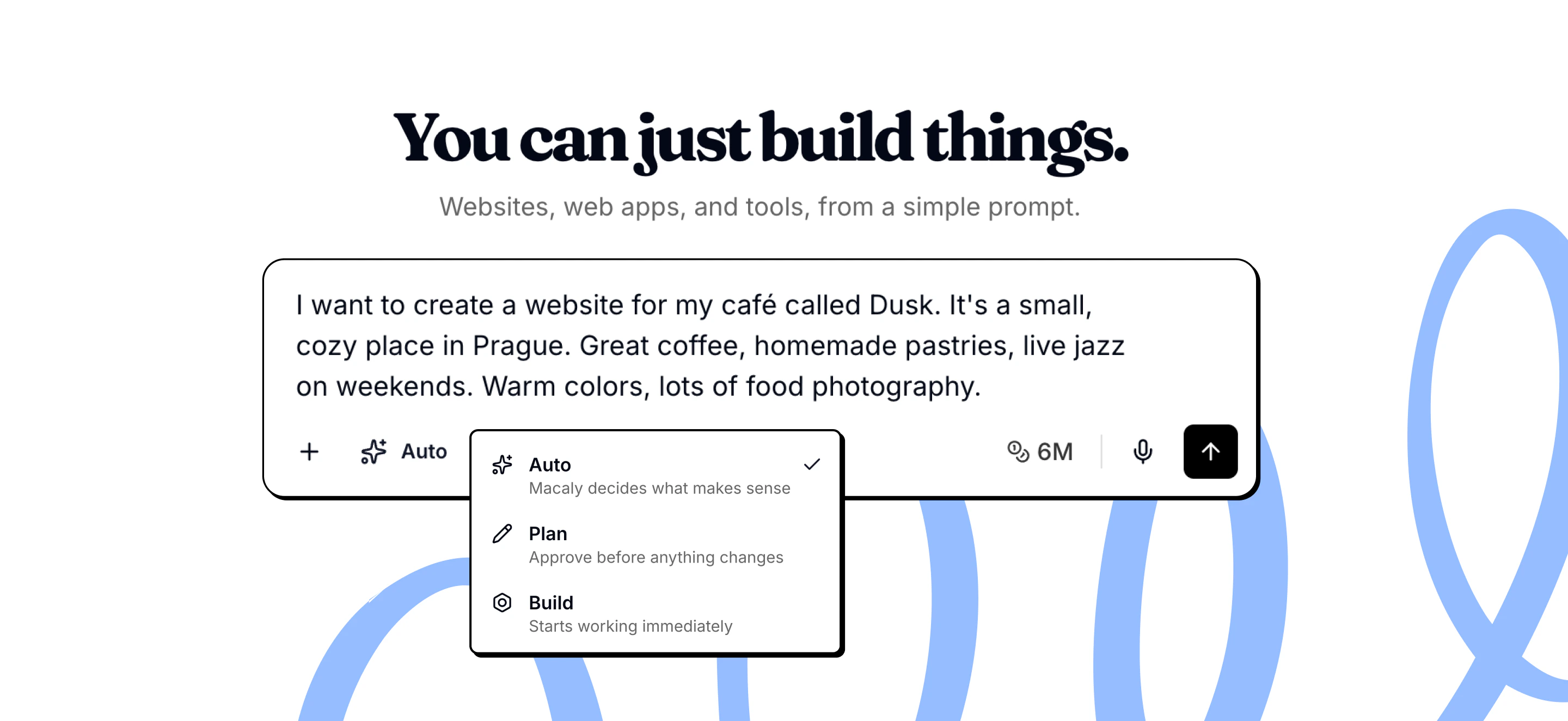
Macaly has 3 modes that control how the agent handles your requests:- Build: Builds immediately without asking questions. Best if you know exactly what you want.
- Plan: Creates a plan or asks clarifying questions before building. Use when the task is complex or you want to review the approach first.
- Auto (default): Decides when to plan and when to build. Simple requests are built right away, complex ones trigger planning or questions.
Agent abilities
The agent acts as a collaborator who can plan, ask questions, research, and build your app from start to finish.Plan before building
Plan before building
For complex features, the agent breaks your request into steps and shows you the plan first. You can review and approve before anything is built.
Ask when something is unclear
Ask when something is unclear
Instead of guessing, the agent pauses to ask focused questions. This means the result matches what you actually want.
Remember past decisions
Remember past decisions
The agent keeps context from earlier in your project, so changes stay consistent with choices you made before.
Research on the web
Research on the web
If the agent needs current information, examples, or documentation, it looks them up on the web.
Learn from existing websites
Learn from existing websites
When you share a URL, the agent can understand the structure and design to use as reference or inspiration.
Work with photos
Work with photos
It finds high-quality stock photos that fit your project, like hero images, backgrounds, or lifestyle shots.
Create custom visuals
Create custom visuals
Generates new images, edits existing ones, or removes backgrounds when stock photos don’t fit.
Make changes for you
Make changes for you
You don’t need to touch code. The agent updates pages, content, layout, and functionality based on what you ask for.
Review its own work
Review its own work
Before finishing, the agent reviews what it built to catch mistakes or missing details.
AI Models
Macaly uses a combination of AI models optimized for quality and reliability:- OpenAI: GPT-5.6 Sol, GPT-5.6 Terra
- Anthropic: Opus 4.6, Sonnet 4.6, Sonnet 5
- Macaly Code and BlueAI for cheap, fast work
Frequently asked questions
The agent got stuck or is taking too long. What can I do?
The agent got stuck or is taking too long. What can I do?
If the agent shows no progress for more than 10 to 15 minutes, try duplicating the chat using Start Fresh (No Messages). This usually resolves the issue. If not, contact support with the chat link. Any credits consumed during a confirmed stuck session will be reviewed and returned.
The agent keeps making the same error. How do I avoid burning credits?
The agent keeps making the same error. How do I avoid burning credits?
When reporting an error, be as specific as possible. Describe what you were doing before the error, what you see now, what is not working, and what the correct behavior should be. The more detail you provide, the better the agent can fix it on the first try.
How many steps can the agent take per request?
How many steps can the agent take per request?
Macaly has approximately 20 steps per user request. If your prompt is too complex, the agent may not complete everything. Break large requests into smaller sequential steps: send one specific change per message, verify it works, then move on.
How do I create a backup of my project?
How do I create a backup of my project?
Duplicate your chat whenever the project is in a good state, especially before making larger changes. Use Keep Everything (With Messages) to preserve the full chat history, or Start Fresh (No Messages) to carry over the project code without the chat history. Each duplicate has its own separate database.
Can I restore a previous version of my project?
Can I restore a previous version of my project?
Yes. Under any agent response in the chat, there is a Restore this version button. Clicking it reverts the project code to the state it was in when that response was generated.