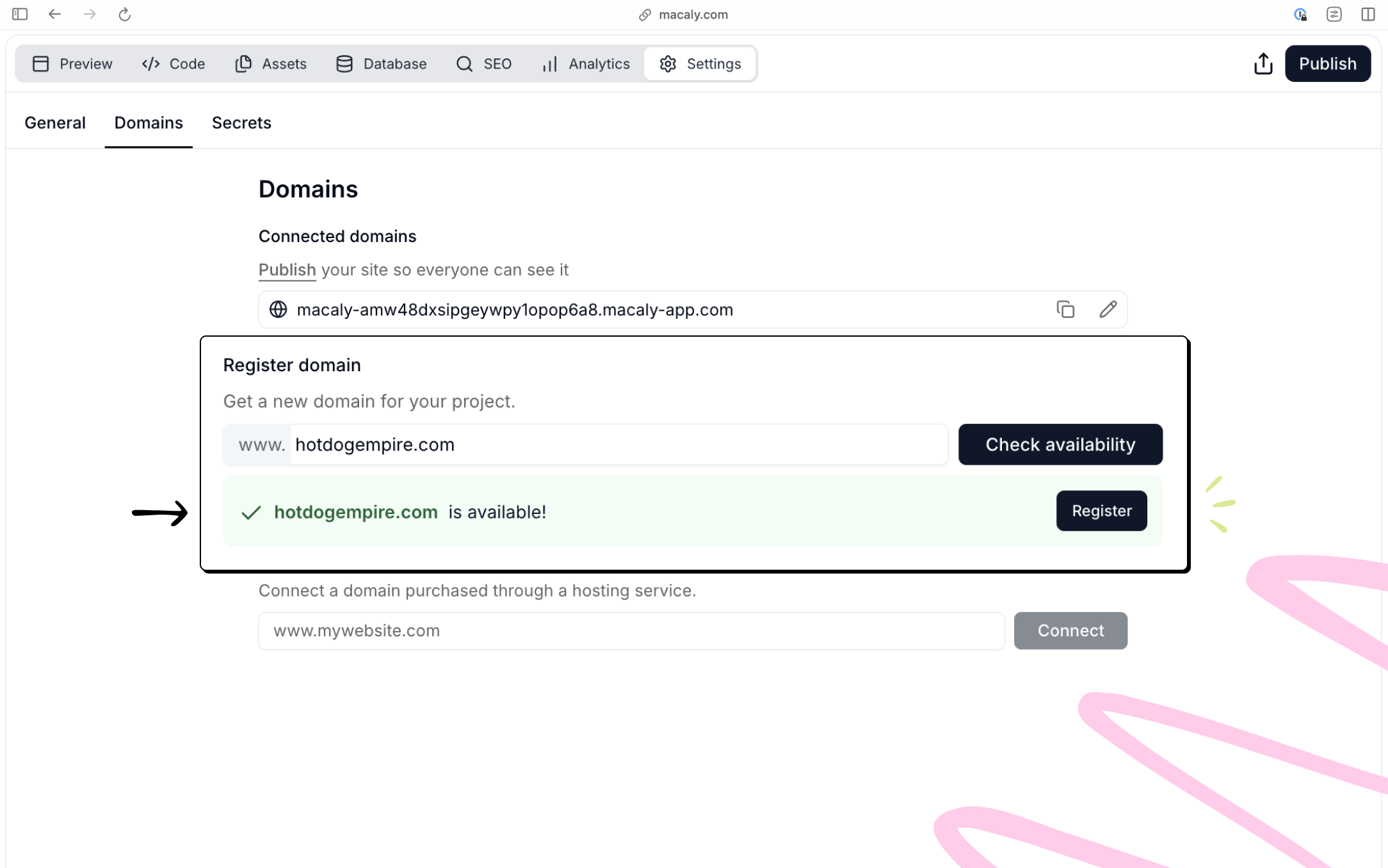
What is a domain?
A domain is the address people type into their browser to visit your website, like example.com. Think of it as the public name of your site. When someone opens that address, their browser loads the content of your project. In Macaly, you don’t need to set this up upfront. Publishing your project automatically gives you a working domain so your site is immediately accessible.Free Macaly subdomain
Every published Macaly project goes live on a free Macaly subdomain, for example:Custom domain
A custom domain is a branded address like example.com. If you want your site to live on your own domain, Macaly gives you two options:- Connect a domain you already own (for example from GoDaddy or Namecheap)
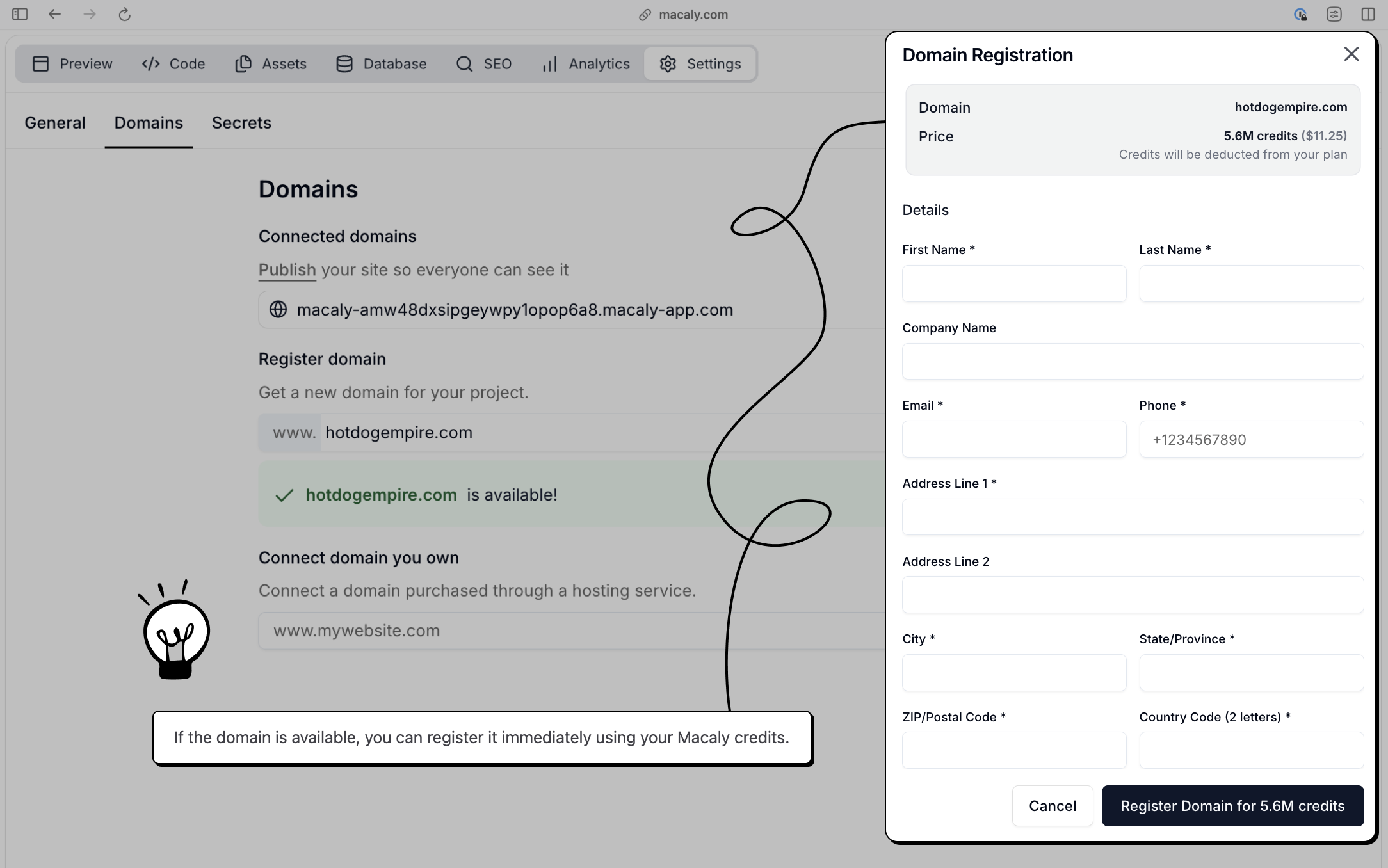
- Buy and register a new domain directly inside Macaly using credits
How to Publish your Web or App
1
Publish your project
Click Publish in the top-right corner of the editor. Macaly builds and deploys the latest version of your project automatically.Once publishing finishes, your site is live on a free Macaly subdomain and ready to be shared or connected to a custom domain.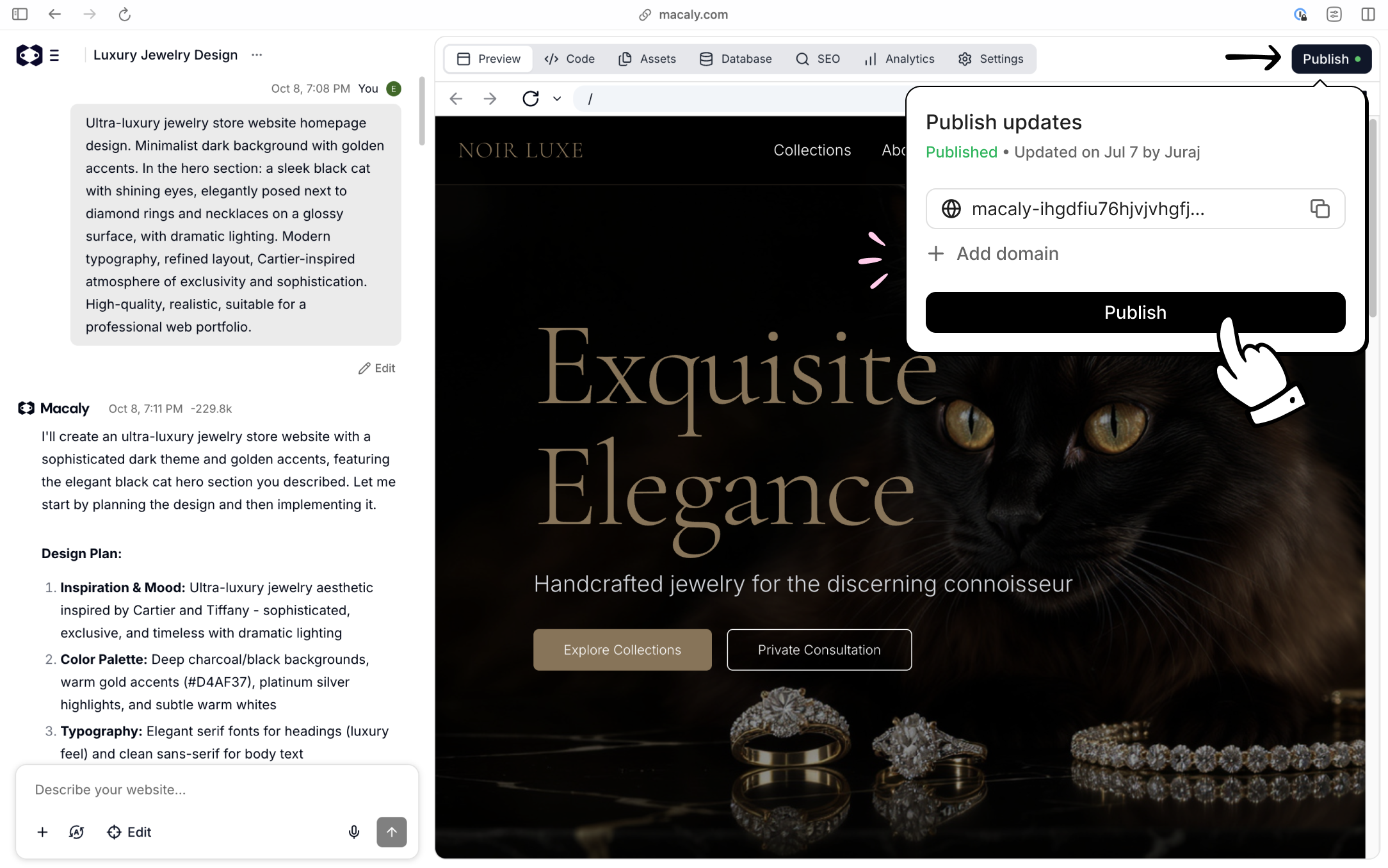
2
Connecting a domain you already own
Open Settings → Domains, enter your domain, and click Connect. Macaly will show you the exact DNS records you need to add. Copy these values into your domain provider’s DNS settings.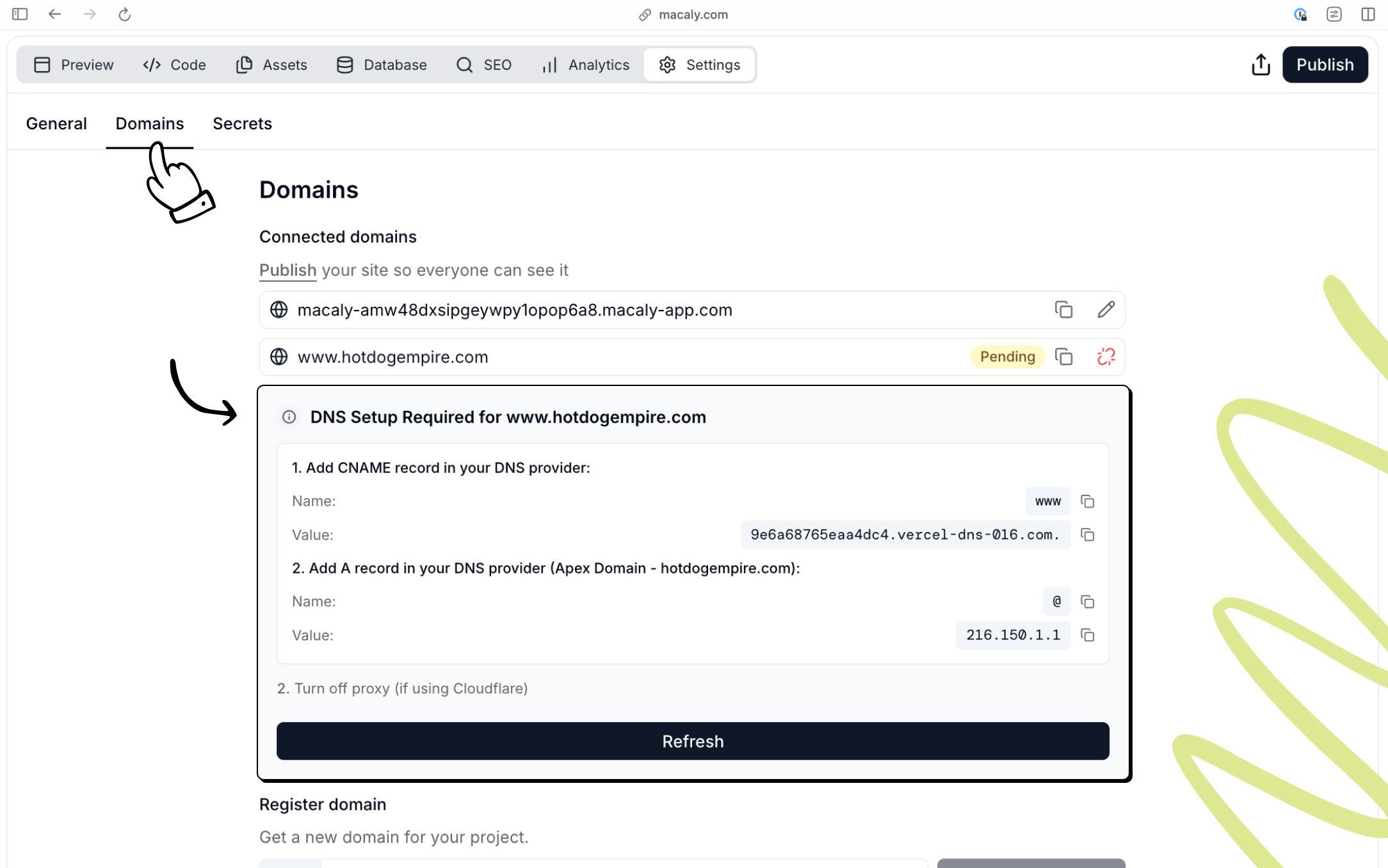
3
Buy and connect a domain in Macaly
Open Settings → Domains, search for a domain name, and check availability.