Skip to main contentA database is where your project stores information.
Any time your site or app needs to remember something, it uses a database. This could be:
- A message someone submits through a form
- An email address from a newsletter signup
- A blog post you publish
- A booking request or registration
- A user account or profile
Instead of information disappearing after a page reload, the database saves it so you can view it, use it, and act on it later.
You can think of a database like a spreadsheet that lives behind your site:
- Each row is one item (for example, one subscriber or one form submission)
- Each column is a piece of information (like email, name, or date)
Macaly uses databases to power anything that involves data, lists, forms, or dynamic content.
Databases, built in by default
Every Macaly project comes with a database out of the box.
You don’t need to set up Supabase, create credentials, or connect any third-party database. The database is already there and ready to use.
Macaly’s database is powered by Convex, which means:
- Real-time updates by default
- Automatic scaling
- A clean admin interface that feels similar to Airtable or Notion
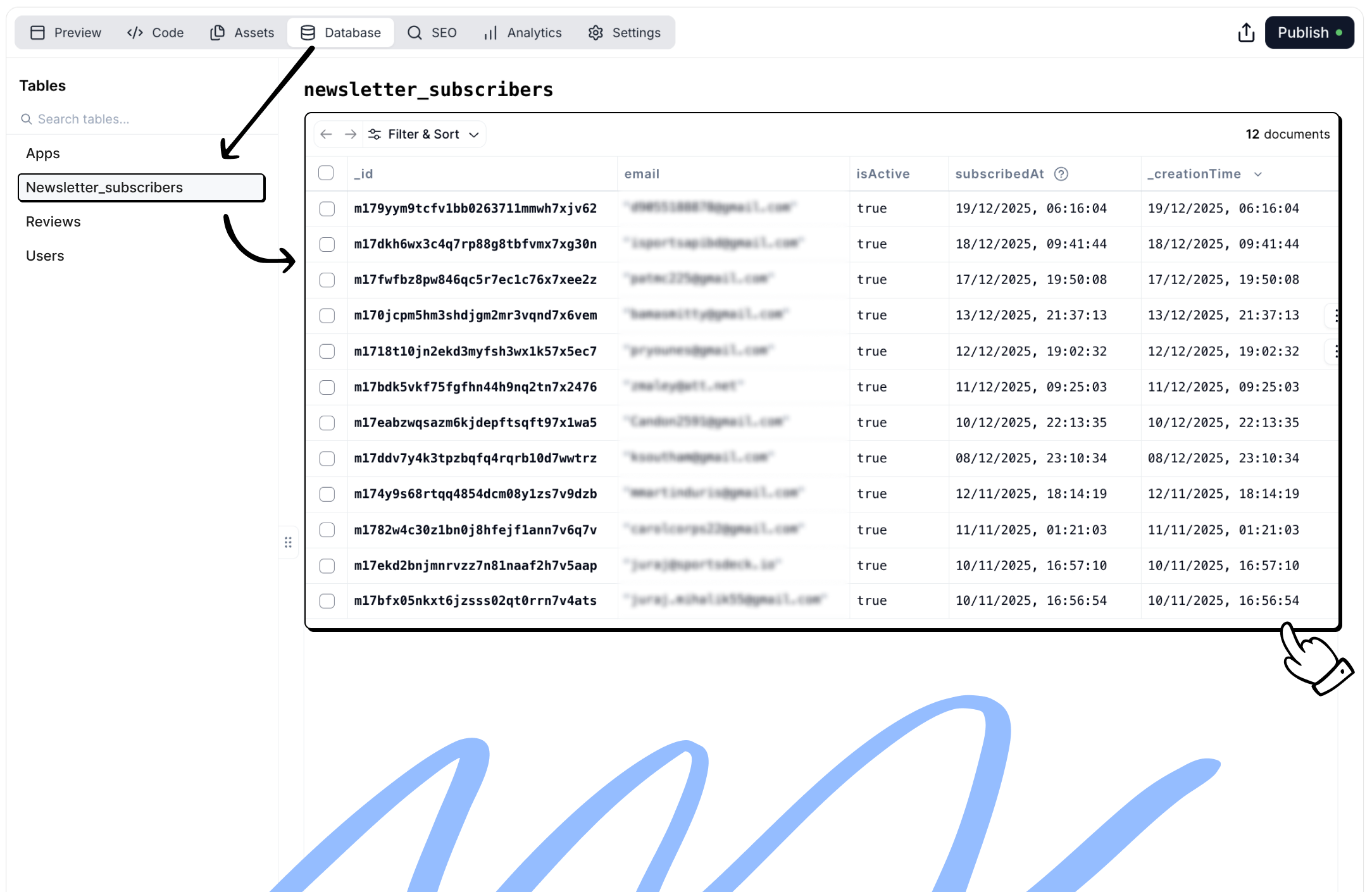
You can view, filter, and manage your data directly inside Macaly.
Common ways people use databases
Databases are flexible and can support many different workflows. Below are common use cases, along with example prompts you can use to set them up.
A very common use case is storing contact form submissions.
Typical examples include:
- Contact forms
- Lead capture pages
- Feedback or inquiry forms
Each submission is saved as a new record in a database, so nothing gets lost.
Example prompt
Add a database called “Leads” to store contact form submissions with fields for Name, Email, Phone, and Message. Connect the contact form so every new submission is automatically saved to the database.
Newsletter and subscriptions
Databases are often used to store newsletter subscribers or waiting lists.
This allows you to:
- Collect email addresses
- Track when someone subscribed
- Export the list later if needed
Example prompt
Create a database called “Subscribers” to store newsletter signups with fields for Email and Subscription Date. Connect the email input on the page so each signup is saved automatically.
Content management (CMS)
Databases can act as a content management system for dynamic content.
Common examples include:
- Blog posts
- Use cases
- Reviews
- FAQs
- Directories and listings
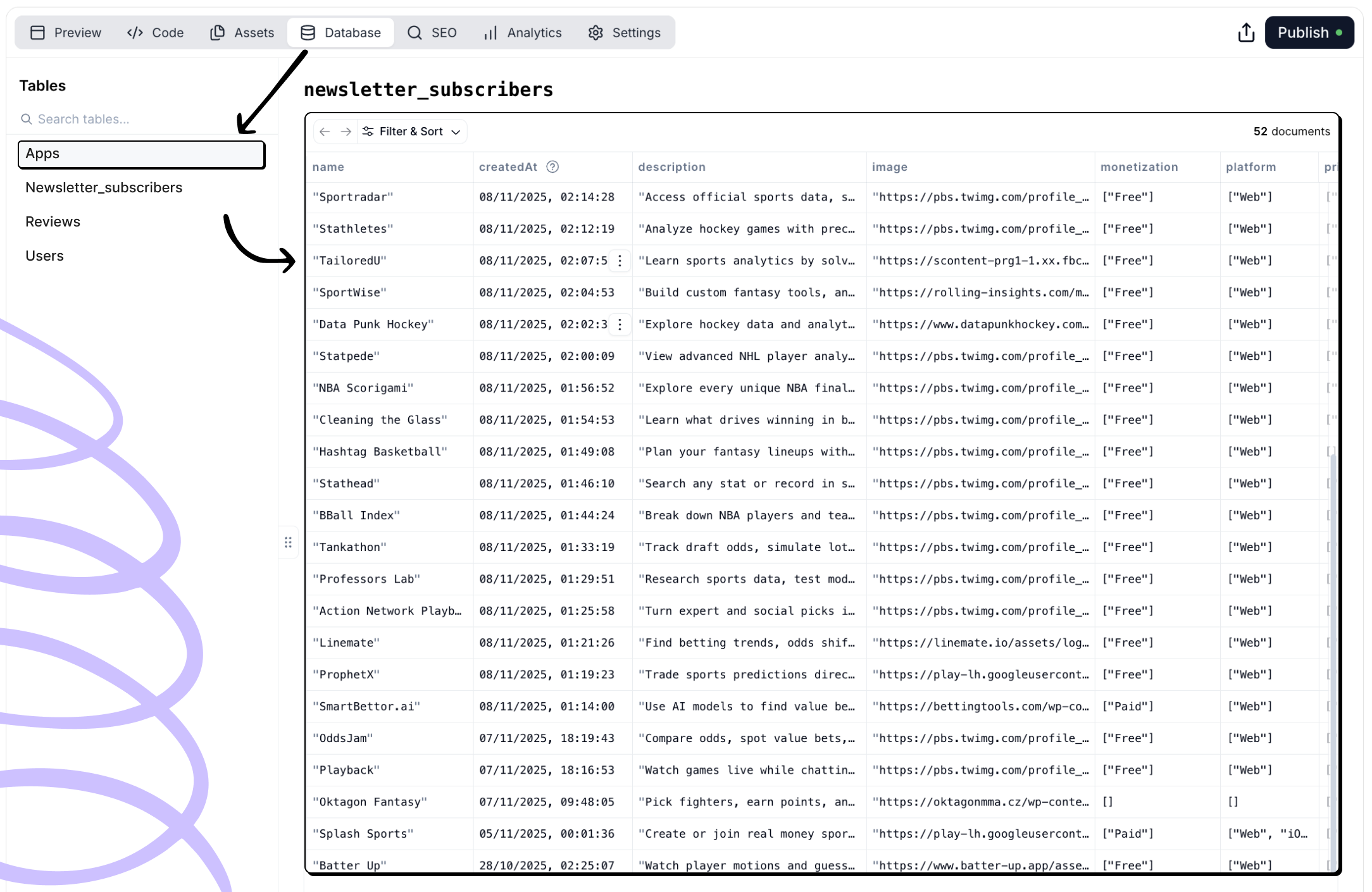 Instead of editing content directly on the page, you manage it as structured data.
Example prompt
Instead of editing content directly on the page, you manage it as structured data.
Example prompt
Create a database called “Posts” with fields for Title, Description, Content, Image, and Publish Date. Use it to render a list of blog posts on the website.
Booking systems and requests
Databases can store booking or request information.
Typical examples include:
- Appointment requests
- Demo bookings
- Event registrations
Each request is saved so you can review or follow up later.
Example prompt
Add a database called “Bookings” to store appointment requests with fields for Name, Email, Date, and Message. Connect it to the booking form on the site.
Databases are often paired with internal pages to create simple admin tools.
These are useful for:
- Reviewing form submissions
- Managing subscribers
- Moderating content
- Handling internal workflows
Access can be restricted using authentication.
Example prompt
Create an admin dashboard at /admin with email and password authentication. Show a table of all newsletter subscribers with email and subscription date, and allow exporting the list as CSV.
Notifications and automated emails
Databases can trigger actions when new data is created.
Common examples include:
- Notifying your team when a form is submitted
- Sending confirmation emails to users
Example prompt
When a new form submission is received, send an email notification to my@email.com with the submitted details.
Example prompt
After a form is submitted, send a confirmation email to the user thanking them and confirming receipt.
How to think about databases in Macaly
If your project needs to:
- Store information
- Display lists of items
- Power forms or content
- Track users or submissions
You’ll likely need a database.
Macaly is designed so you don’t have to understand database theory to use one. You describe what you want to store and how it should behave, and Macaly handles the structure and connections for you. 
