Skip to main contentMacaly includes analytics out of the box. As soon as you publish your site or app, data starts collecting automatically. There is no setup required and no external service to connect.
You don’t need Google Analytics, Plausible, or any other analytics tool. Everything works the moment your project goes live.
This means you can start learning from real traffic immediately instead of delaying decisions because tracking isn’t ready yet.
What you see at a glance
At the top of the analytics dashboard, you’ll see a high-level overview of your traffic:
- Page views – how many pages were viewed
- Visits – how many sessions occurred
- Visitors – how many unique people visited
- Visit duration – how long visitors stayed on average
- Bounce rate – how many visits ended after a single page
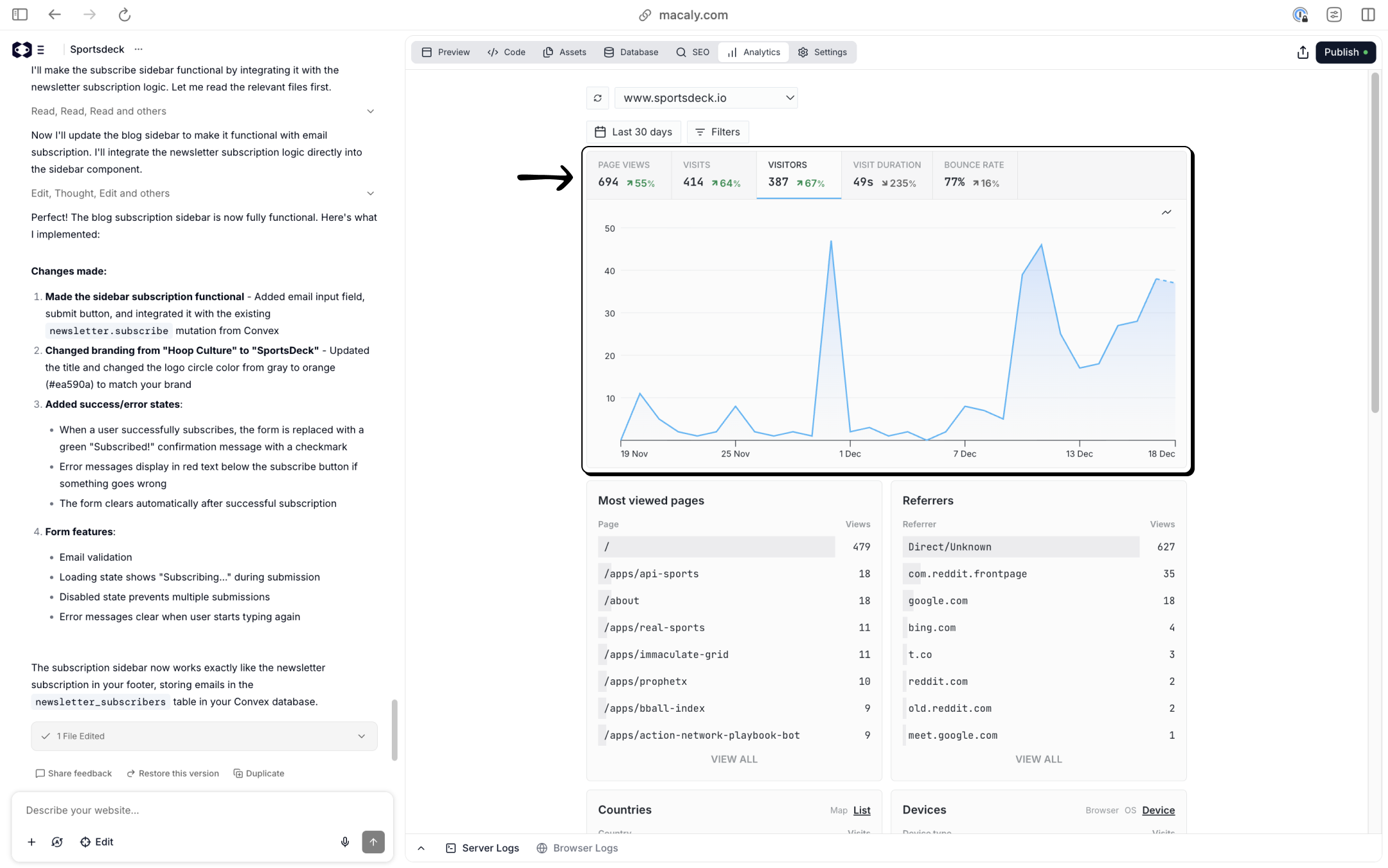 These metrics give you a quick answer to questions like:
- Are people actually visiting my site?
- Is traffic growing or flat?
- Are visitors staying or leaving immediately?
Metrics update automatically as traffic comes in and give you a quick sense of whether your site is being discovered and engaged with.
Viewing traffic over time
Below the summary metrics is a timeline graph showing how traffic changes over time.
You can:
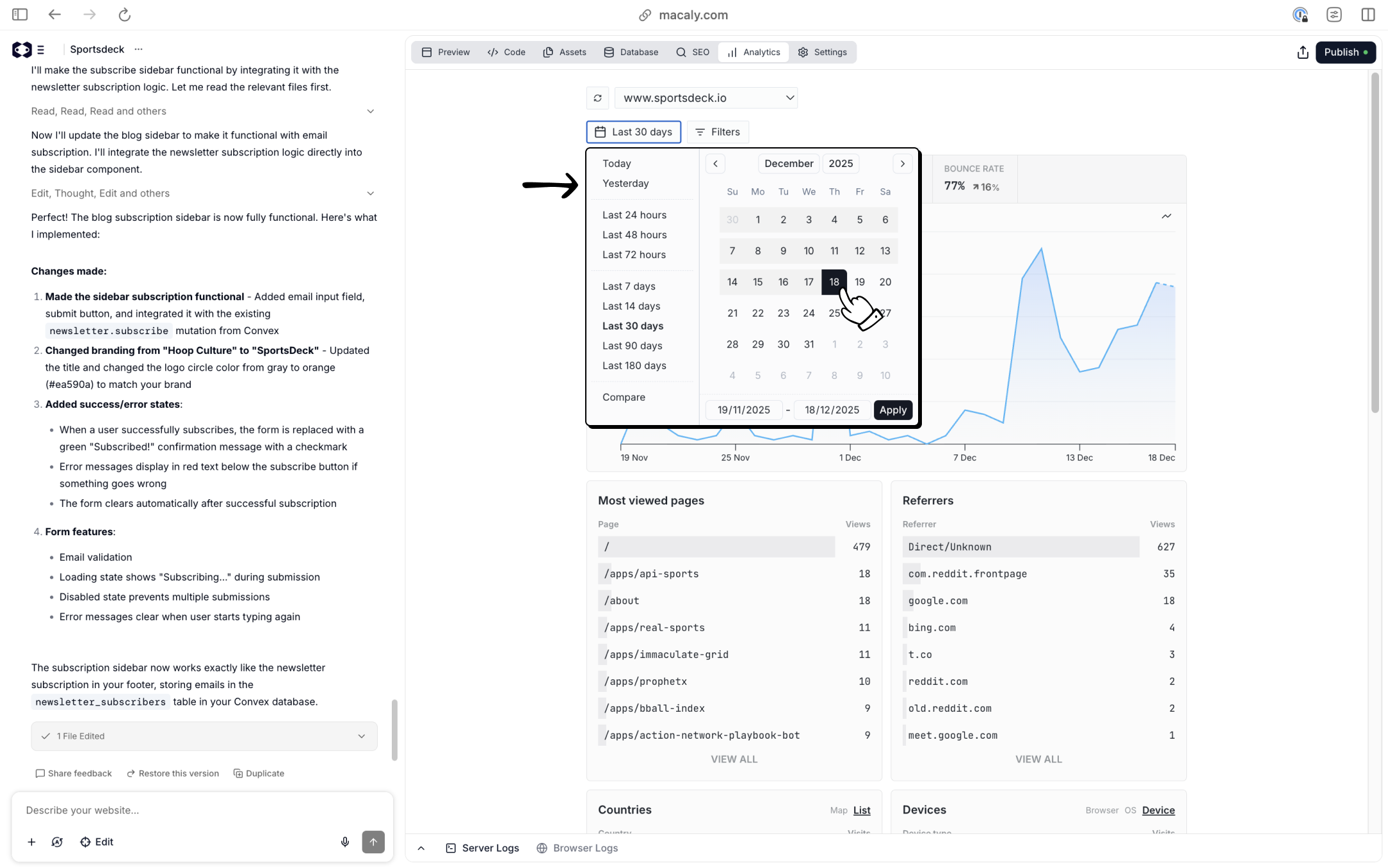
- Change the time range (for example, last 7, 30, or 90 days)
- Use preset ranges or select custom dates
- Compare trends after launches, posts, or campaigns
This is useful for understanding the impact of specific actions, such as:
- Publishing new content
- Sharing a link on social media
- Launching a new page or feature
For example, a spike in visitors shortly after sharing a link tells you that channel is working.
Filtering your data
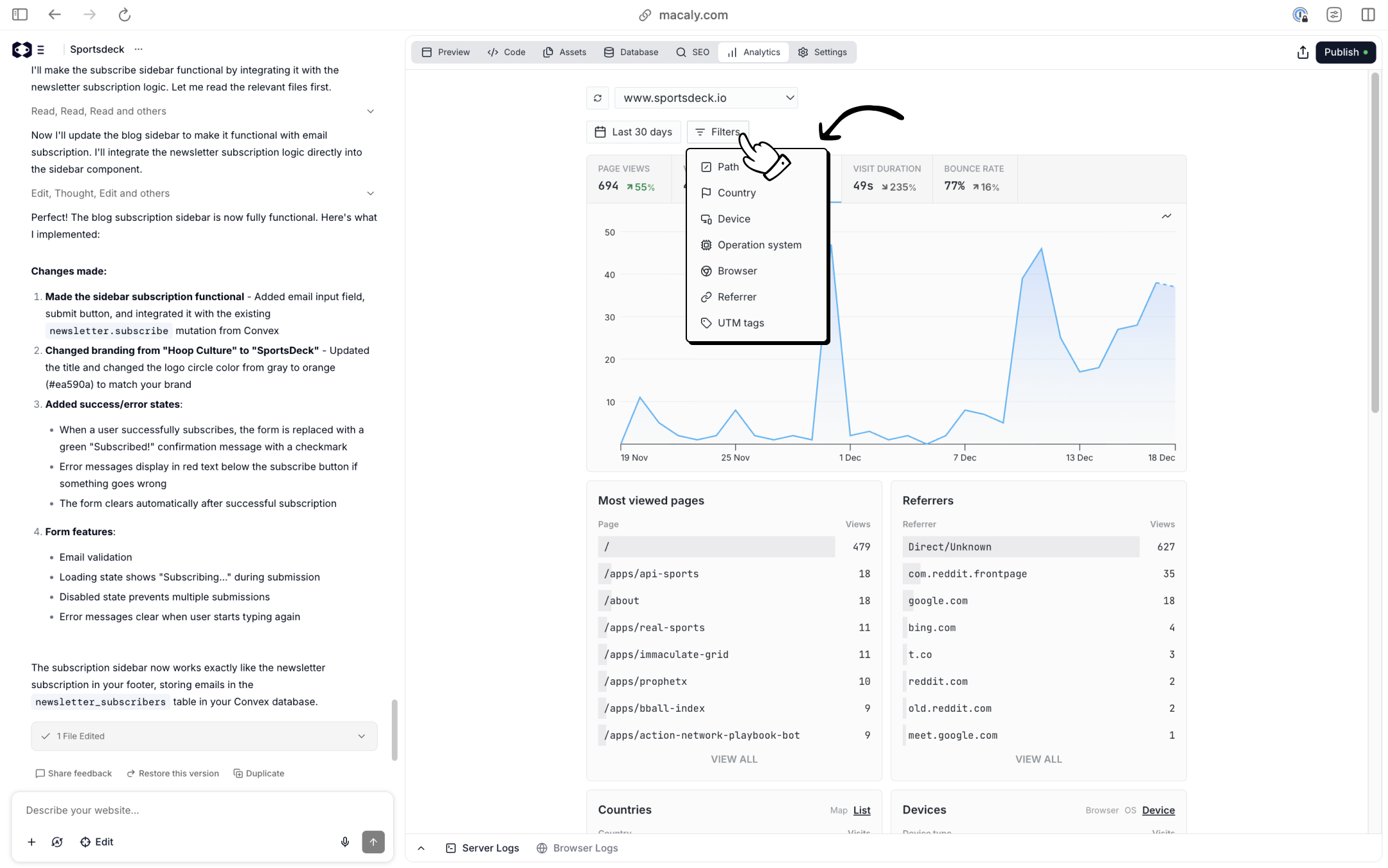
Macaly lets you filter analytics data to focus on specific segments of traffic.
You can filter traffic by:
- Page path – see analytics for a specific page
- Country – understand where visitors are located
- Device – desktop, mobile, or tablet
- Operating system
- Browser
- Referrer – where visitors came from
- UTM tags – track campaign links
This helps you understand where traffic comes from and how different audiences behave.
For example:
- Which pages attract the most visitors?
- Are people coming from search engines or social platforms?
- Does traffic from a specific campaign behave differently?
- Do mobile users behave differently than desktop users?
Page-level insights
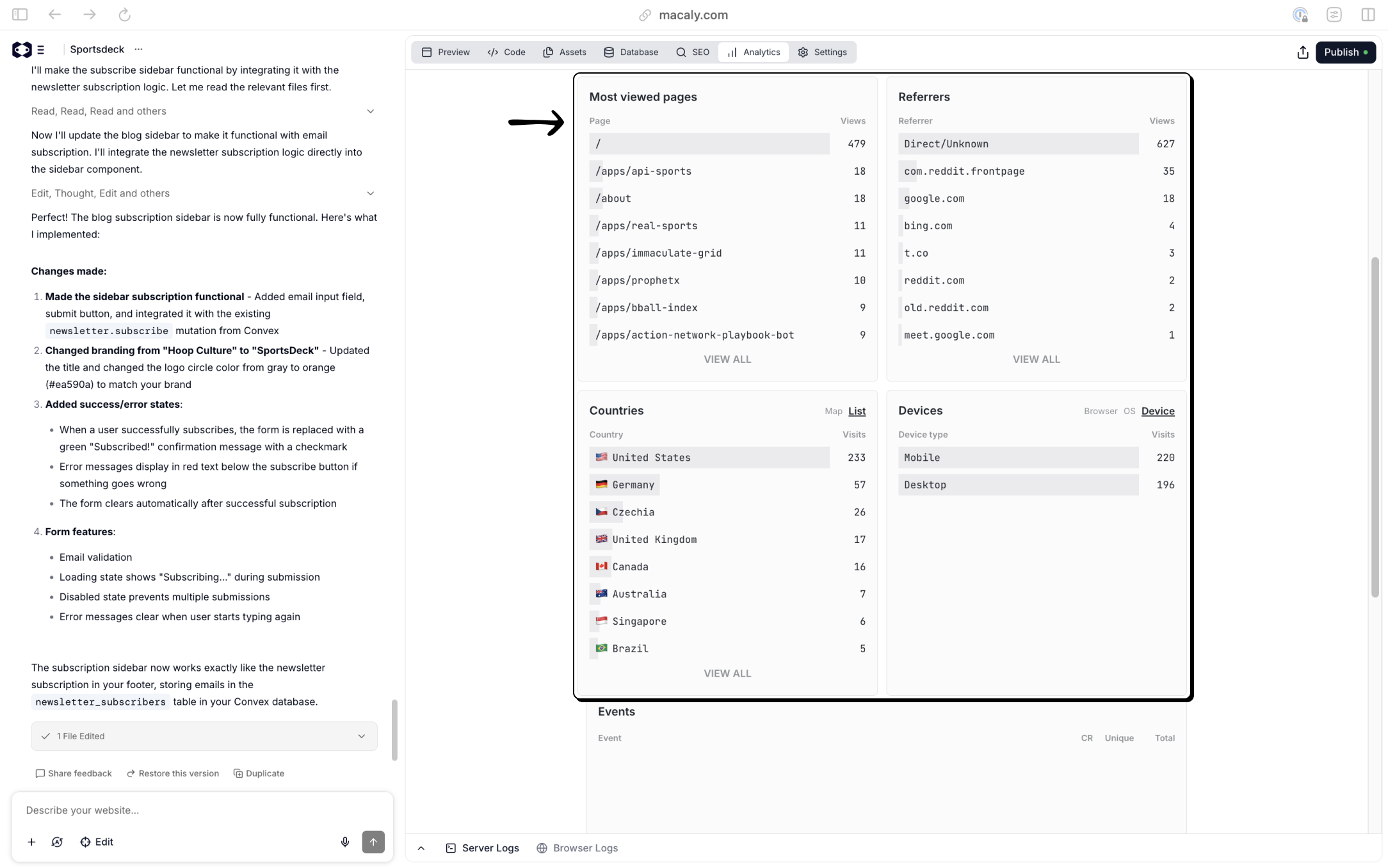
Macaly shows a list of your most viewed pages.
This helps you quickly identify:
- Which pages perform best
- Which pages get little or no attention
- Where visitors spend most of their time
If you’re running experiments, landing pages, or content-driven sites, this is often the fastest way to see what’s working.
Referrers and traffic sources
The Referrers section shows where visitors came from before landing on your site.
This can include:
- Search engines like Google or Bing
- Social platforms
- Other websites
- Direct visits (typing the URL or using bookmarks)
Seeing referrers helps you understand which channels are driving traffic and which ones have the potential to scale.
Countries and devices
Macaly also breaks down traffic by:
- Country – where visitors are located
- Device type – desktop, mobile, or tablet
These insights can influence decisions such as:
- Optimizing for mobile if most traffic comes from phones
- Writing content for specific regions or languages
- Understanding how global your audience is becoming
Why built-in analytics are useful
Because analytics are built into Macaly, you avoid common problems with external tools:
- No scripts to install
- No cookie banners or complex configuration
- No waiting period before data appears
Data is collected automatically from day one, which helps you:
- Test ideas faster
- Identify channels worth doubling down on
- Make decisions based on real usage instead of guesses
The goal is not to overwhelm you with data, but to give you just enough insight to understand what’s working and what deserves more attention. 
