> ## Documentation Index
> Fetch the complete documentation index at: https://www.macaly.com/docs/llms.txt
> Use this file to discover all available pages before exploring further.
# Macaly Community
> Browse projects built by other Macaly users
The Macaly Community is a gallery of projects that other users built in Macaly and chose to share publicly. Browse it at [macaly.com/community](https://www.macaly.com/community), or find **Community** in your profile menu.
Your own projects appear in the gallery only if you decide to add them there.
## Browsing the gallery
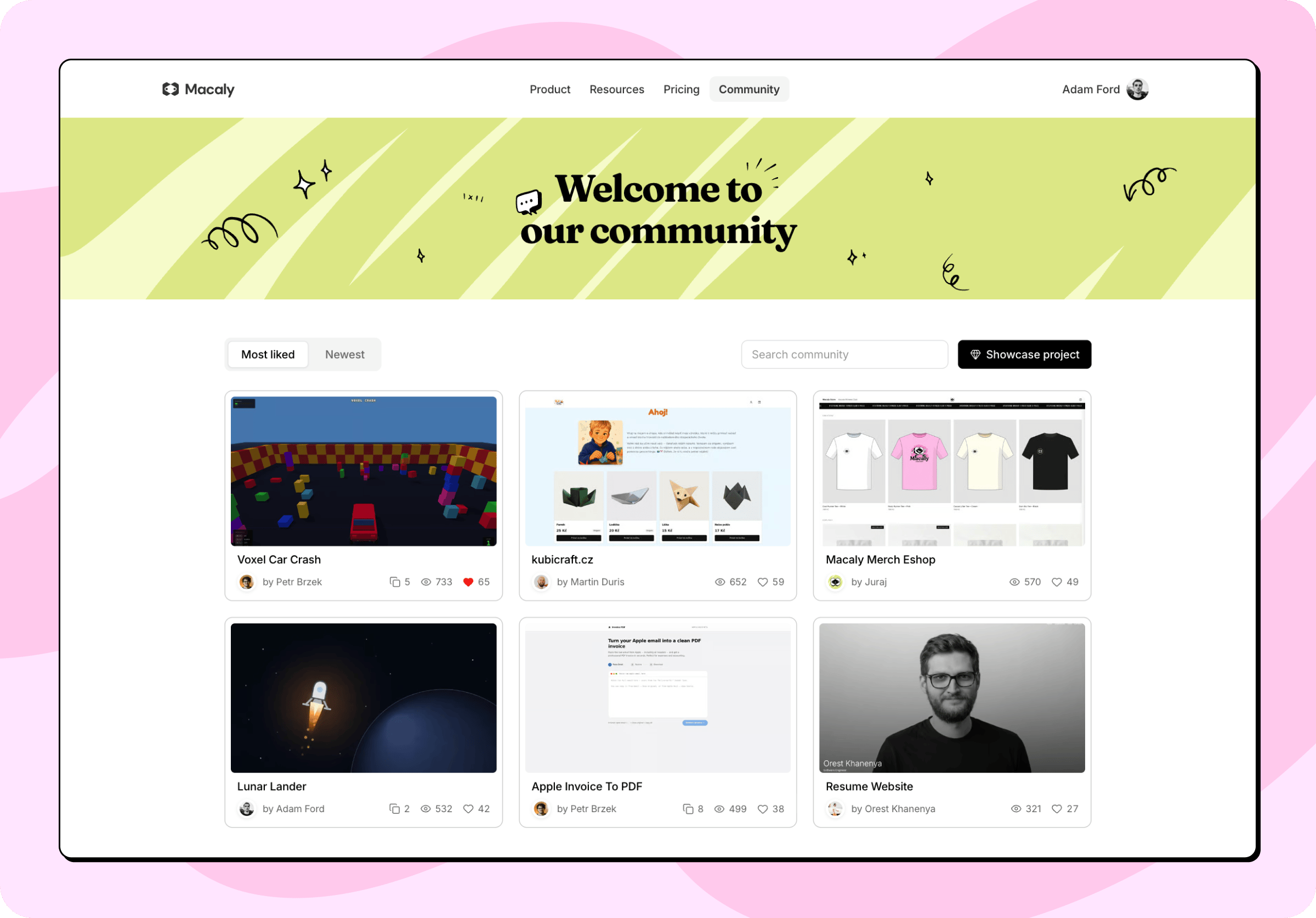 Sort the grid by **Most liked** or **Newest**. You can search by project name or by the author's username.
## Duplicating a project
Every project has a detail view with its description and a link to the live site. Give the ones you like a heart. Some projects can be duplicated into your own workspace and taken further from there.
When you duplicate a project from the community gallery:
* The copy **includes** the full source code, along with the files that come with it.
* The copy **excludes** the original chat history, its secrets, and any data in its database.
The copy is a brand new project, so publish it yourself whenever you're ready. Nothing you do in your copy affects the original, and the author isn't notified.
Duplicating a project from the community gallery is not the same as duplicating your own chat. Copies of your own projects can carry secrets and database data across. Copies of projects from the community gallery never do.
Authors can turn duplication off. When they have, the **Duplicate** button is disabled.
Sort the grid by **Most liked** or **Newest**. You can search by project name or by the author's username.
## Duplicating a project
Every project has a detail view with its description and a link to the live site. Give the ones you like a heart. Some projects can be duplicated into your own workspace and taken further from there.
When you duplicate a project from the community gallery:
* The copy **includes** the full source code, along with the files that come with it.
* The copy **excludes** the original chat history, its secrets, and any data in its database.
The copy is a brand new project, so publish it yourself whenever you're ready. Nothing you do in your copy affects the original, and the author isn't notified.
Duplicating a project from the community gallery is not the same as duplicating your own chat. Copies of your own projects can carry secrets and database data across. Copies of projects from the community gallery never do.
Authors can turn duplication off. When they have, the **Duplicate** button is disabled.